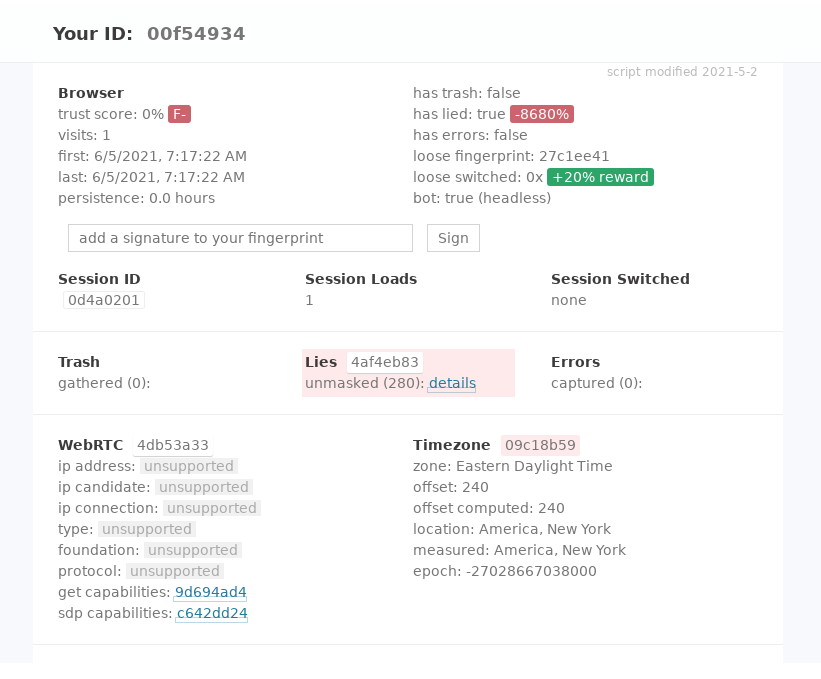
this article will likely be modified in the coming days (Edited on 5th June 21)It's very easy 2021-06-06 00:45:00 Author: incolumitas.com(查看原文) 阅读量:392 收藏
this article will likely be modified in the coming days (Edited on 5th June 21)
It's very easy to detect Brightdata Data Collector as bot.
The four largest findings:
- It's easy to demonstrate that the
navigatorobject is heavily spoofed by comparing Web Workernavigatorproperties and Service Workernavigatorproperties to the DOM'swindow.navigatorproperty. Furthermore, it's possible to see thatHeadlessChromeas browser andLinux x86_64as a platform is used. - By comparing the network latencies from browser to server and from server to external IP address, it's possible to interpolate that proxies are used. Furthermore, the external IP's of Brightdata Data Collector answer to ICMP ping packets.
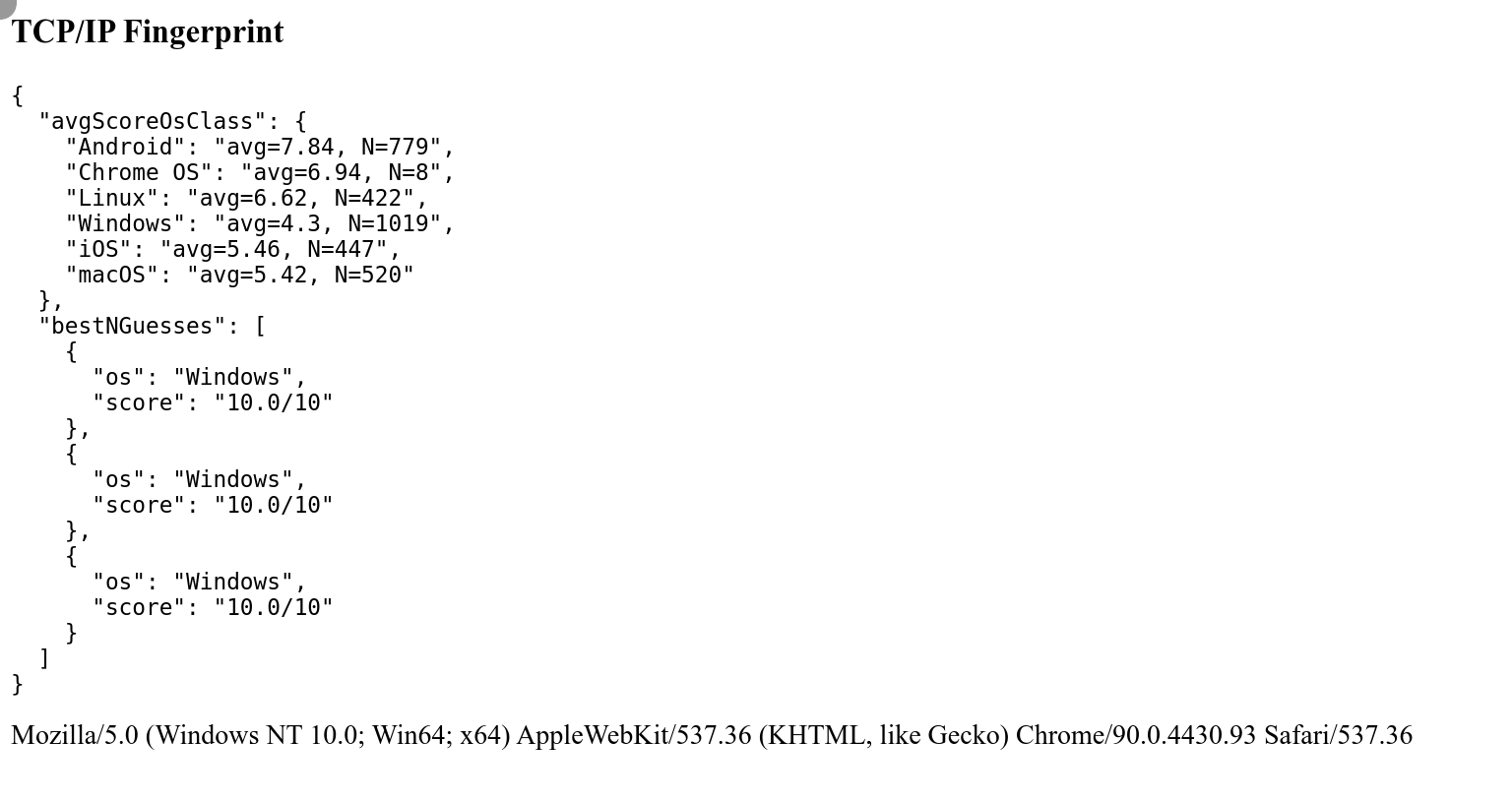
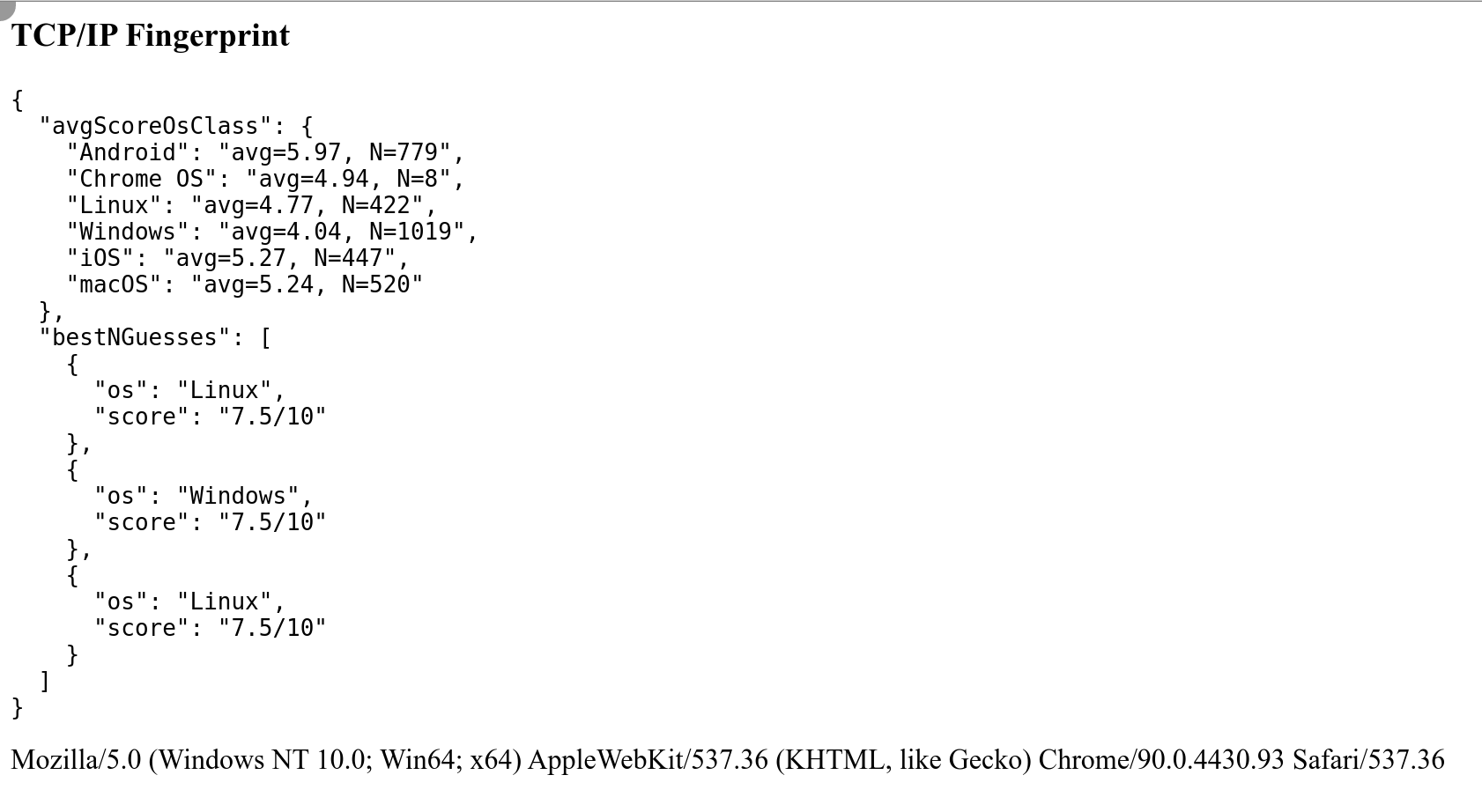
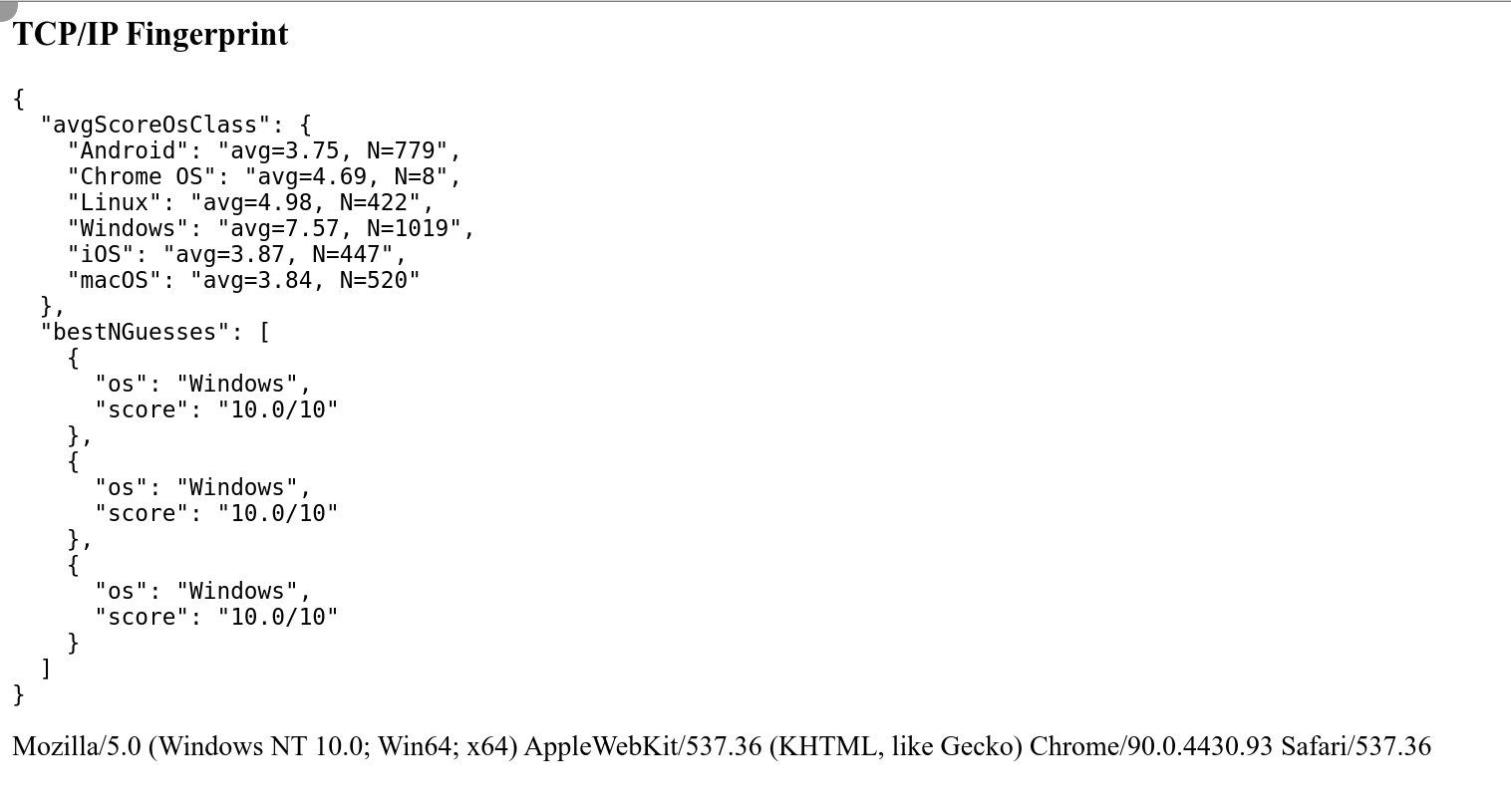
- The TCP/IP fingerprint recorded with my own tool zardaxt.py indicates a different operating system (mostly Linux) than what is advertised in the HTTP User Agent header (Mostly Windows 10)
- It's possible to detect that the canvas
getImageData()method was spoofed. There are several mechanisms and anti-canvas fingerprinting defenses that do not occur with real browsers.
Brightdata (formerly Luminati Networks) is probably the largest proxy provider on the planet.
Their main product is a large proxy network. They offer datacenter, residential and mobile proxies. They can do so, because their sister company hola.org provides as browser extension that allows to share your network bandwith with other users of hola.org. It's a peer-to-peer network and allows their often unaware clientele to change their IP address to circumvent geo-blocking. If you are not from Europe or the US, you very often have to endure ridiculous geo-blocking.
Put differently: hola.org installs a proxy server on each person's computer/mobile phone and Brightdata resells this bandwith/proxies as residential and mobile proxies to large business customers.
But most recently, Brightdata also strongly push into the data collection niche (data as a service) by allowing their clients access to a full fledged browser with JavaScript capabilities that is hard to distinguish from a real human controlled browser. This service is called Brightdata Data Collector.
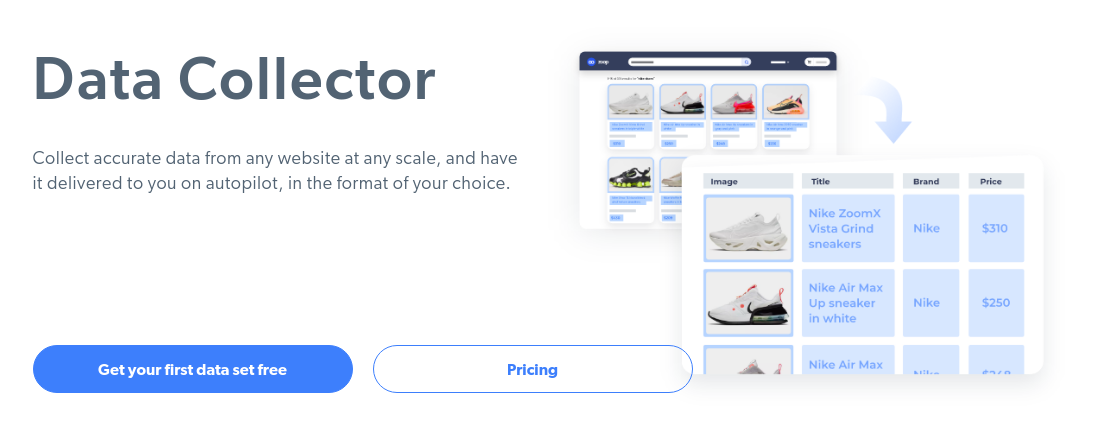
As their own image above suggests, the data collector can be used to scrape search engines, prices from E-Commerce websites, scrape the most recent published real estate listings on realtor websites. If you have an advanced undetectable bot, you have an enormous advantage in the Internet, because speed and automatization is often a huge advantage.
In this blog post, my goal is to find some reliable ways to detect the Brightdata data collector.
I will use the following bot detection sites and visit them with Brightdata's data collector. Put differently: Instead of scraping an arbitrary site such as Google, I will let the bot visit a bot detection site and see what I can find.
For each detected listing, I will try to re-implement the test that triggered the detection. Only when I am capable of re-implementing the test, I truly understand why a site claims to have detected the visitor as bot and I am able to craft my own judgement.
For each bot detection site listed above, I will request the site five times.
Here is a link to the whatleaks.com results.
I will use the following Brightdata data collector script:
navigate('https://whatleaks.com');

wait('#doesNOtExit', {timeout: 230000})

collect({
    url: location.href,
});
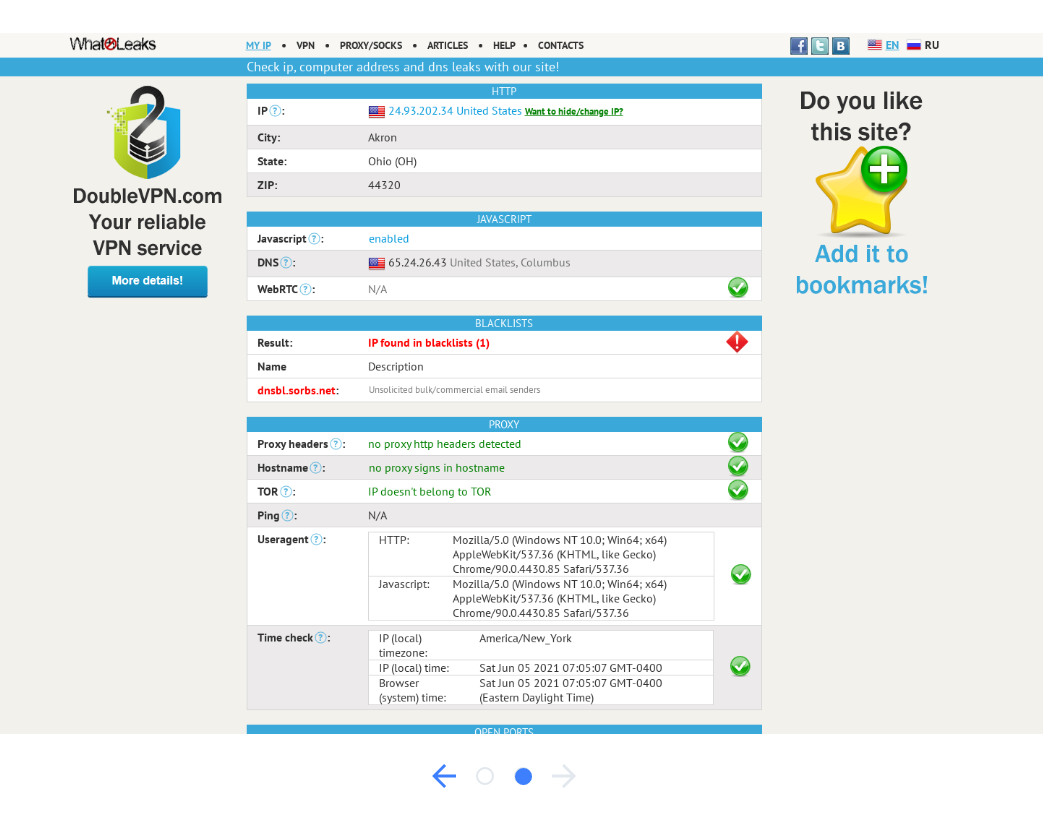
Result 1: Data Collector IP found in Spam Blacklist
whatleaks.com claims:
Result:
IP found in blacklists (1)
Name
Description
dnsbl.sorbs.net:
Unsolicited bulk/commercial email senders
When looking up the IP address 184.91.1.148 on dnsbl.info I can confirm the finding.
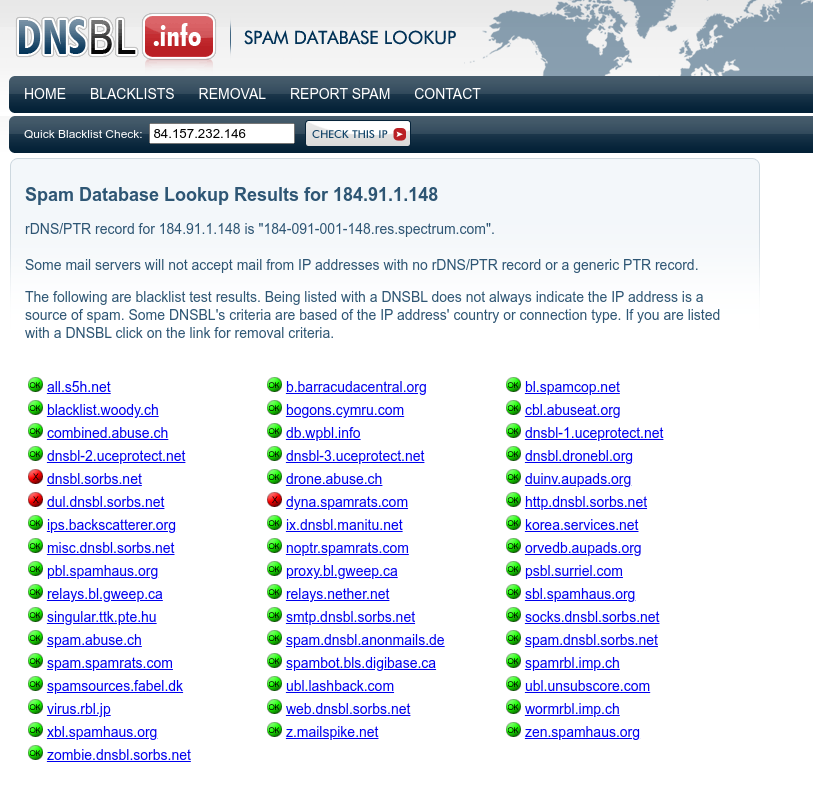
I have to idea how accurate dnsbl.info is, but as a quick check, I inserted my own public IP address and there also one spam report on this IP (Detected on b.barracudacentral.org). So I would not consider those publicly accessible spam lookup databases as overly trustworthy.
With the other IP addresses of the other four samples I got a similar result.
Result 2: Ping - Data Collector Proxy usage detected in connection
When looking up the test description on whatleaks.com:
We compare ping from your computer to our server and ping from our server to the host of your external IP. If the difference is too much then there is probably a tunnel and you are using a proxy.
I re-implemented this ping proxy detection test in my last blog article where I also quickly programmed my own test. Link to my own ping-based proxy detection test: bot.incolumitas.com/crossping.html
For example, those are the results of the crossping test when visiting with Brightdata's data collector my crossping test site:
Test Run 1:
{
  "browserToServer-0": 914.4649999216199,
  "browserToServer-1": 1014.5399998873472,
  "browserToServer-2": 1015.4400002211332,
  "browserToServer-3": 1101.740000769496,
  "browserToServer-4": 1102.8800001367927,
  "serverToExternalIP-0": "72.180.224.177 - OK 134.796 ms",
  "serverToExternalIP-1": "72.180.224.177 - OK 131.744 ms",
  "serverToExternalIP-2": "72.180.224.177 - OK 133.993 ms",
  "serverToExternalIP-3": "72.180.224.177 - OK 139.276 ms",
  "serverToExternalIP-4": "72.180.224.177 - OK 137.525 ms"
}
Test Run 2:
{
  "browserToServer-0": 717.8099993616343,
  "browserToServer-3": 959.8300000652671,
  "browserToServer-4": 962.6200003549457,
  "browserToServer-1": 1128.740000538528,
  "browserToServer-2": 1131.4850002527237,
  "serverToExternalIP-0": "45.130.83.183 - OK 93.502 ms",
  "serverToExternalIP-1": "45.130.83.183 - OK 92.907 ms",
  "serverToExternalIP-2": "45.130.83.183 - OK 92.825 ms",
  "serverToExternalIP-3": "45.130.83.183 - OK 92.782 ms",
  "serverToExternalIP-4": "45.130.83.183 - OK 92.935 ms"
}
And this is me with my own Laptop and Browser and without any proxy visiting my detection site:
{
  "browserToServer-0": 107,
  "browserToServer-1": 114,
  "browserToServer-4": 116.59999999962747,
  "browserToServer-2": 119.80000000074506,
  "browserToServer-3": 190.09999999962747,
  "serverToExternalIP-0": "84.152.212.142 - FAIL",
  "serverToExternalIP-1": "84.152.212.142 - FAIL",
  "serverToExternalIP-2": "84.152.212.142 - FAIL",
  "serverToExternalIP-3": "84.152.212.142 - FAIL",
  "serverToExternalIP-4": "84.152.212.142 - FAIL"
}
As you can see, the ping time for browserToServer is significantly higher for Brightdata's data collector compared to my own browser (without any bot). And of course I cannot ping my own IP address 84.152.212.142 from the Internet, because I am behind a NAT.
If I really need reliable serverToExternalIP measurements, I could obtain correct latencies for serverToExternalIP by measuring the TCP handshake RTT.
So what can we say from the tests above?
In both cases when using Brightdata's data collector, the latencies were quite high with around 1 second. This stands in contrast to very small latencies around 100ms when visiting the test with my own browser without any proxy.
In conclusion I can say that I am quite confident that it must be possible to apply some statistics and make a statement such as: The browserToServer latencies are significantly higher than the serverToExternalIP latencies and therefore we can conclude that there must be some intermediary in the connection!
Result: Data Collector IP has Open Ports
Test site: portscan
whatleaks.com claims that Brightdata's data collector has open ports:
RDP:
open ports detected: 3389
VNC:
open ports detected: 5900
TeamViewer:
no open ports detected
AnyplaceControl:
open ports detected: 5279
Result: Data Collector's TCP/IP Fingerprint different from claimed Browser User Agent
I will use my own TCP/IP fingerprinting tool named zardaxt.py to conduct this test.
Link to the TCP/IP detection test site: bot.incolumitas.com/tcpip.html
When visiting the whatleaks.com test site with Brightdata's data collector, the site detects a passive OS fingerprint of Linux but a Windows OS according to the user agent.
Passive OS Fingerprint
OS:
Passive OS Fingerprint:     Linux
Browser Useragent:  Windows
Replication: When testing Brightdata's data collector three times with my own TCP/IP fingerprinting tool, I get the following results:
Here is a link to the creepjs results.
I will use the following Brightdata data collector script:
navigate('https://abrahamjuliot.github.io/creepjs/', {timeout: 230000});

wait('#fingerprint-data > div:nth-child(3) > div:nth-child(2) a');

click('#fingerprint-data > div:nth-child(3) > div:nth-child(2) a');

collect({
    url: location.href,
});
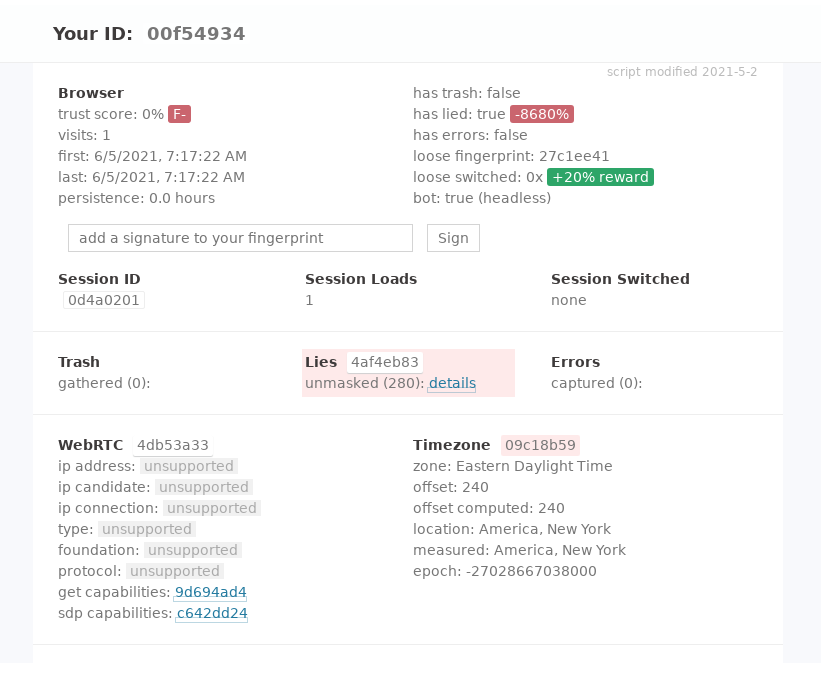
The creepjs bot detection site is a gold mine. Even better, the library is open source.
There are so many findings, it's hard to list them all. Let's get started:
Result 1: Service Worker navigator differs from main navigator
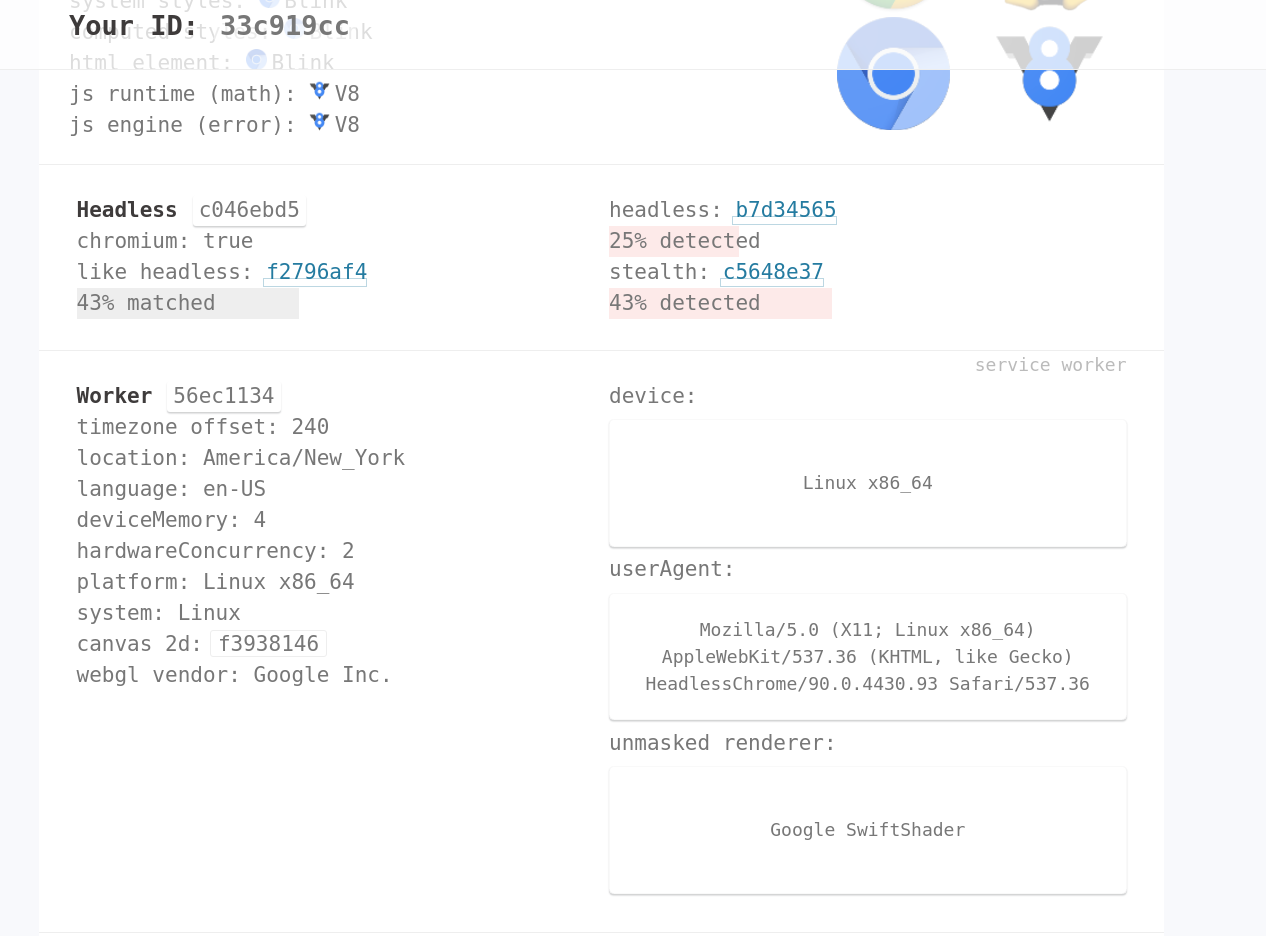
To put it shortly, modern browsers have something called Service Workers. It's basically a proxy layer that sits between the web application and the server and adds offline-mode features (amongst others).
In the context of Service Workers, there is also a navigator property.
My claim (and of course creepjs's claim) is: The bot programmers forgot to spoof those values.
Therefore, I implemented a test that compares the navigator values from the DOM with the values from the Service Worker context. Link to test: https://bot.incolumitas.com/sw.html
This is the result:
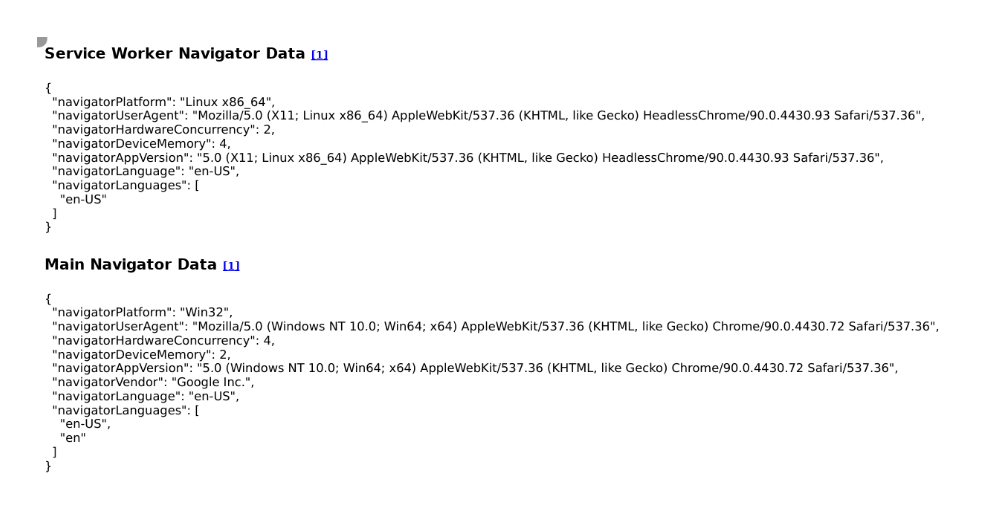
Do you see what I see?
- The bot claims
"navigatorPlatform": "Win32",but is"navigatorPlatform": "Linux x86_64", - The bot claims
"navigatorUserAgent": "Mozilla/5.0 (Windows NT 10.0; Win64; x64) AppleWebKit/537.36 (KHTML, like Gecko) Chrome/90.0.4430.72 Safari/537.36",but isMozilla/5.0 (X11; Linux x86_64) AppleWebKit/537.36 (KHTML, like Gecko) HeadlessChrome/90.0.4430.93 Safari/537.36 - ...
totally busted.
Result 2: Web Worker navigator differs from main navigator
Same logic here, expect that Brightdata data collector spoof's a bit more with Web Workers, so it's less fatal, but still enough to detect them as bot.
Link to test: https://bot.incolumitas.com/ww.html
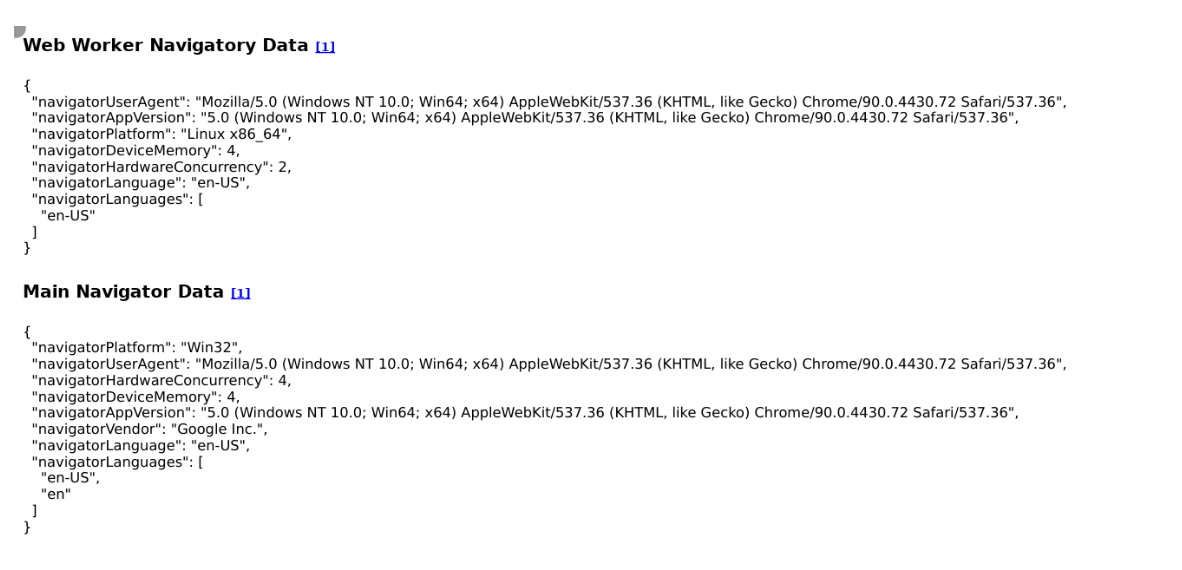
- The bot claims
"navigatorPlatform": "Win32",but is"navigatorPlatform": "Linux x86_64", - The User Agent is correctly spoofed
- But
"navigatorLanguages": ["en-US"]is different to"navigatorLanguages": ["en-US","en"]
It's enough to see that the browser lies.
Here is a link to the pixelscan.net results.
I will use the following Brightdata data collector script:
navigate('https://pixelscan.net/', {timeout: 230000});

wait('#doesNOtExit', {timeout: 230000})

collect({
    url: location.href,
});
Here is a link to the f.vision results.
I will use the following Brightdata data collector script:
navigate('http://f.vision', {timeout: 60000});

wait('#start-button > span');

click('#start-button > span');

wait('#collapse-buttons > button.btn.btn-outline.btn-primary.expand-all', {timeout: 60000})

click('#collapse-buttons > button.btn.btn-outline.btn-primary.expand-all');

collect({
    url: location.href,
});
Result 1: Fake Canvas detected in Data Collector bot
f.vision detection site claims to have detected fake canvas
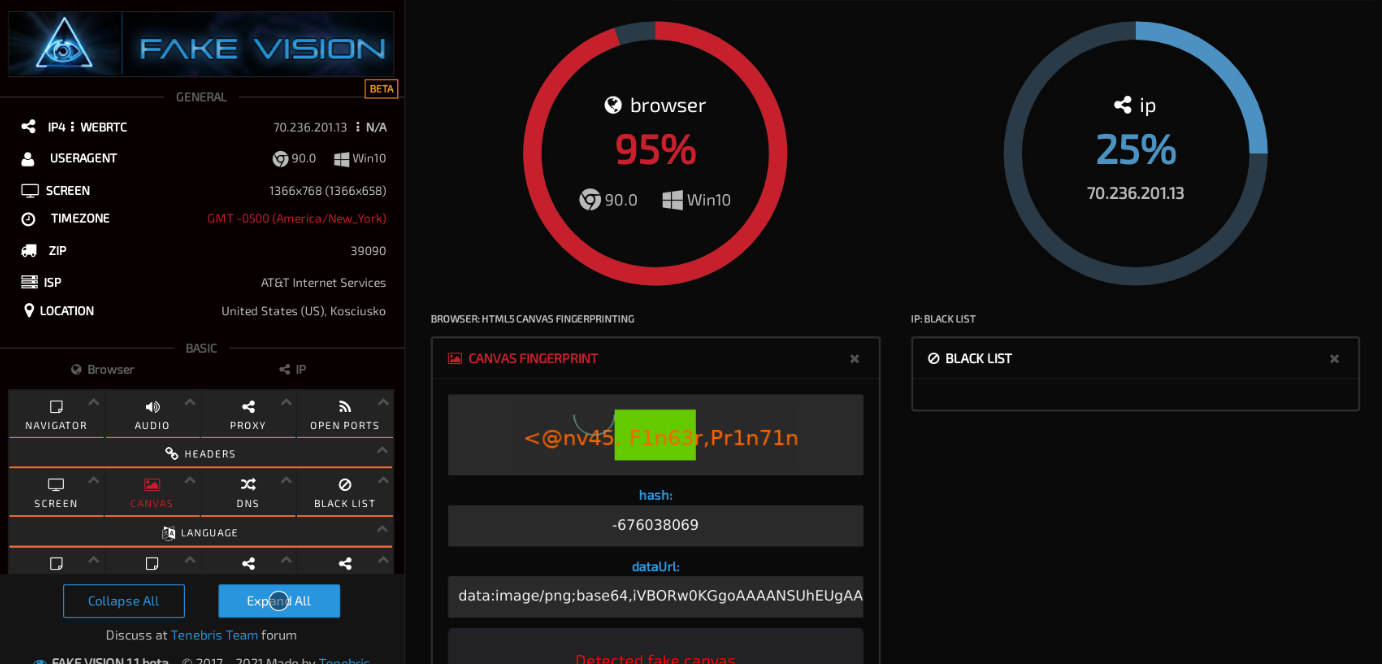
When expanding the information for fake canvas, f.vision tells me:
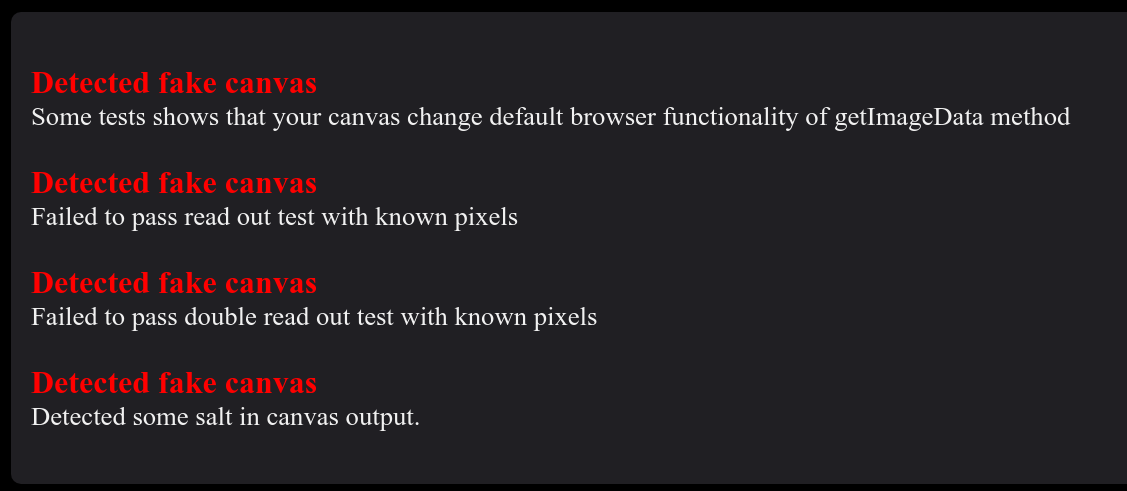
It seems that those fake canvas detection tests originate from here. The original test site is named webGL-Test.
The author states in this GitHub issue:
As you already found out the "fake input" mode prevents the detection of normal canvas. For WebGL I'm not aware of any (reasonable) way to prevent the detection there (actually I also have a detection page for webGL: https://canvasblocker.kkapsner.de/test/webGL-Test.html)
Conclusion:
Result 2: Various Browser Fingerprints are Static across Bot Samples
The bot detection site f.vision has quite nice fingerprinting techniques. For that reason I will test if it is possible to detect Brightdata's bot with those fingerprints. Detection is possible if the following two properties hold:
- The fingerprints stay the same among independent bot samples
- Those fingerprints together have enough entropy
| # | HSTS | WEBGL | CANVAS | PLUGINS | AUDIO | CLIENT RECTS | FONTS |
|---|---|---|---|---|---|---|---|
| 1 | N/A | d0ae1aeb6476af3f | 2140246792 | f98ba1457738b341 | 19f2ec826da99435 | c01b66fbb94df014 | 8dc9258100071ba8 |
| 2 | cc832e | d0ae1aeb6476af3f | 1470235470 | f98ba1457738b341 | 19f2ec826da99435 | c01b66fbb94df014 | da39a3ee5e6b4b0d |
| 3 | cc832e | d0ae1aeb6476af3f | 1470235470 | f98ba1457738b341 | 19f2ec826da99435 | c01b66fbb94df014 | da39a3ee5e6b4b0d |
| 4 | b8c752 | d0ae1aeb6476af3f | -2125110224 | f98ba1457738b341 | 19f2ec826da99435 | c01b66fbb94df014 | 023e4ca61828dfc7 |
| 5 | 94832d | d0ae1aeb6476af3f | -198118648 | f98ba1457738b341 | 19f2ec826da99435 | c01b66fbb94df014 | 064d6b2722232577 |
| 6 | 1c7937 | d0ae1aeb6476af3f | 1426403692 | f98ba1457738b341 | 19f2ec826da99435 | c01b66fbb94df014 | da39a3ee5e6b4b0d |
| 7 | dca0b6 | d0ae1aeb6476af3f | -579119140 | f98ba1457738b341 | 19f2ec826da99435 | c01b66fbb94df014 | da39a3ee5e6b4b0d |
| 8 | fd36e9 | d0ae1aeb6476af3f | 271321058 | f98ba1457738b341 | 19f2ec826da99435 | c01b66fbb94df014 | 2aaf3ba9b5696cec |
| 9 | 69116b | d0ae1aeb6476af3f | -2097547378 | f98ba1457738b341 | 19f2ec826da99435 | c01b66fbb94df014 | da39a3ee5e6b4b0d |
As you can see from the 9 Brightdata bot samples collected, the fingerprints for WEBGL, PLUGINS, AUDIO and CLIENT RECTS stays consistent for each bot visit. The big question: How much entropy do those fingerprints have? Is it possible to uniquely identify a Brightdata data collector bot with those fingerprints?
We can quickly test the entropy of the fingerprint data above by collecting samples with real devices.
The fingerprints below are taken with four different real devices when visiting f.vision:
- With my laptop, Linux with Chrome
- With my Android mobile phone with Firefox
- With browserstack.com real device OSX Big Sur with Chrome 91
- With browserstack.com real device Win10 with Chrome 91
and my mobile phone (2: Android with Firefox) I get the following fingerprints:
| # | HSTS | WEBGL | CANVAS | PLUGINS | AUDIO | CLIENT RECTS | FONTS |
|---|---|---|---|---|---|---|---|
| Linux with Chrome | 420525 | ab4364d46077693b | -31304244 | cb43bb325b87c16f | 19f2ec826da99435 | ee5b6ada17b403ef | af1e3afb793f6d87 |
| Android with Firefox | 40b4f1 | 19208ef875544de3 | 1250865652 | N/A | 41efd79c6069738c | 4612193a6e9f936b | da39a3ee5e6b4b0d |
| OSX Big Sur with Chrome 91 | 1d26d5 | 2def3b550c3e950d | -434613739 | f98ba1457738b341 | d263e57872d8cbf0 | 09b8cf131bb1dacc | a5103579b5284324 |
| Win10 with Chrome 91 | 356893 | d0ae1aeb6476af3f | -17f22f0632 | f98ba1457738b341 | 19f2ec826da99435 | 09b8cf131bb1dacc | a267018f11767e47 |
如有侵权请联系:admin#unsafe.sh