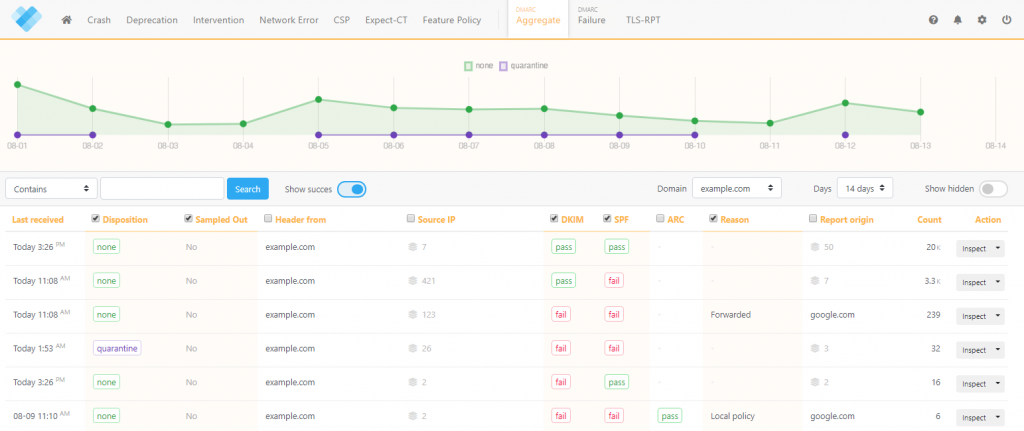
read file error: read notes: is a directory 2024-8-4 04:47:25 Author: securityboulevard.com(查看原文) 阅读量:7 收藏
Proofpoint Email Fraud Defense is a familiar name in email security, but it may not be the optimal solution for every business. If you’re seeking alternatives that offer more flexibility, advanced features, or better pricing, you’re in the right place. This article explores top-tier DMARC alternatives designed to elevate your email security posture.
Proofpoint Email Fraud Defense is a comprehensive email security solution that goes beyond DMARC, offering advanced threat detection, email authentication, and response capabilities. It provides robust protection for large enterprises but can be complex and costly for smaller organizations. It’s ideal for industries with strict compliance requirements and organizations prioritizing comprehensive email security.
What to Look for in a Proofpoint Alternative
- User-Friendly Interface: Look for a solution that offers an intuitive and easy-to-navigate interface. A user-friendly platform can significantly reduce the learning curve and streamline the email authentication process.
- Comprehensive Reporting and Analytics: Choose a DMARC solution that provides detailed reporting and analytics with insights into email traffic, authentication results, and potential threats.
- Flexible Deployment Options: Consider solutions that offer flexible deployment options, such as cloud-based or on-premises setups. This can help accommodate your organization’s specific infrastructure and compliance requirements.
- Integration Capabilities: Ensure the DMARC solution can easily integrate with your existing email systems and security tools. Seamless integration can enhance your overall email security posture and simplify management.
- Support for SPF and DKIM: Look for a solution that supports DMARC and provides robust features for managing SPF (Sender Policy Framework) and DKIM (DomainKeys Identified Mail). Comprehensive support for these protocols is crucial for effective email authentication.
- Customer Support and Resources: Evaluate the provider’s level of customer support. Look for solutions that provide responsive support, extensive documentation, and educational resources to help you navigate the email authentication landscape effectively.
Best Proofpoint Alternatives
- EasyDMARC
- Mimecast DMARC Analyzer
- Barracuda Email Protection
- SimpleDMARC
- URIPorts
- dmarcian
- Valimail
- DMARC Report
- Sendmarc
- PowerDMARC
1. EasyDMARC
Overview
EasyDMARC is the best cloud-native DMARC solution for small and medium businesses (SMBs), enterprises, and managed service providers (MSPs). It focuses on making email authentication and DMARC compliance straightforward and accessible through an intuitive, user-friendly interface.
Features
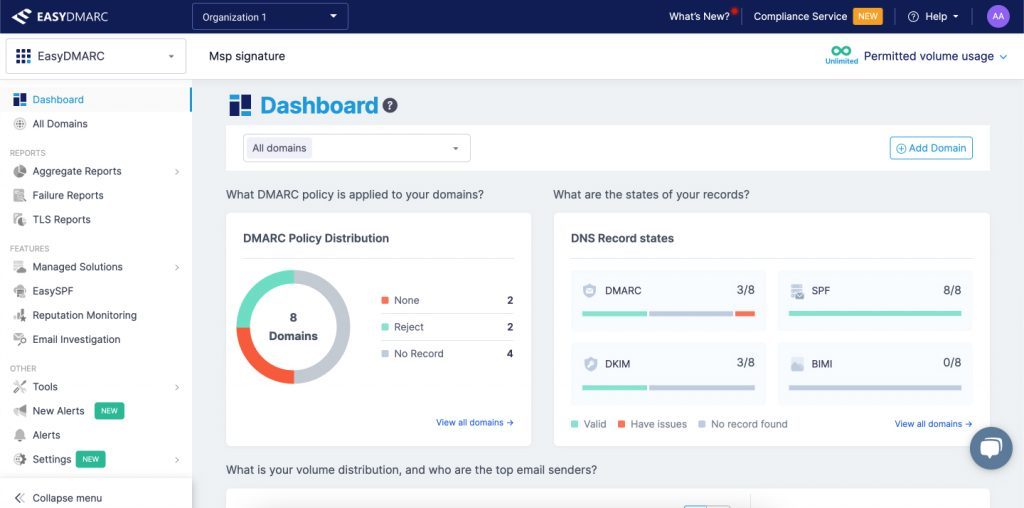
| Features | Benefits |
| Simplifies and Automates the Journey to DMARC Compliance | EasyDMARC streamlines the process of achieving full DMARC compliance by providing step-by-step guidance and automated tools, reducing the complexity for users |
| Provides Managed MTA-STS and TLS Solutions | EasyDMARC’s managed MTA-STS and TLS services ensure secure email transmission and compliance with modern email security standards. |
| Includes Sales and Marketing Enablement Programs for MSP Clients | These programs equip managed service providers with resources and strategies to boost sales and improve client satisfaction through effective DMARC implementation |
Pros
- Intuitive Interface: EasyDMARC prioritizes user experience with a clean and visually pleasing dashboard, simplifying DMARC management
- Flexible Pay-as-You-Go Pricing: Offers a monthly subscription model, providing scalability and cost-efficiency for businesses of all sizes
- Comprehensive Domain Management: Provides tools to manage multiple domains, centralizing DMARC management and improving efficiency
Cons
- Limited to email authentication: Focuses mainly on DMARC-related features
Pricing:
EasyDMARC’s pricing varies by user type (business, enterprise, or MSP), starting at S35.99/month for the Plus Plan (billed annually).
Use Cases
- Small and medium businesses (SMBs) looking for an affordable and user-friendly DMARC solution
- Large Enterprises needing simplified domain management and DMARC compliance
- Managed service providers (MSPs) seeking to enhance their offerings with DMARC compliance and sales enablement tools
Read Our EasyDMARC vs. Proofpoint Comparison
2. Mimecast DMARC Analyzer
Overview
Mimecast DMARC Analyzer is a robust email authentication tool designed to simplify the deployment and management of DMARC policies. It offers comprehensive reporting and analytics to help businesses prevent email spoofing and improve email security.
Features
| Features | Benefits |
| Comprehensive Reporting and Analytics | Provides detailed insights into email traffic and DMARC alignment, helping to identify and mitigate threats |
| Easy Policy Management | Simplifies the creation, implementation, and adjustment of DMARC policies, making it accessible for users with varying levels of expertise |
| User-Friendly Interface | Offers an intuitive and straightforward interface that allows users to manage their email authentication settings efficiently |
Pros
- Detailed Reporting: Offers in-depth reporting, giving users a clear view of their email authentication status and issues
- Ease of Use: User-friendly platform, enabling even those with limited technical knowledge to implement and manage DMARC policies effectively
Cons
- Cost: Expensive for smaller businesses or those with limited budgets
- Complex Setup: Initial setup and configuration is complex for users with no experience in email authentication
Pricing
Pricing for Mimecast DMARC Analyzer is not publicly available.
Use Cases
- Financial Services: Finance companies can use this solution to secure sensitive email communications and protect against phishing attacks
- Healthcare: Healthcare organizations can utilize the tool to ensure compliance with data protection regulations and safeguard patient information
- Retail and eCommerce: Retailers and eCommerce businesses can leverage Mimecast DMARC Analyzer to protect their brand reputation and ensure the security of transactional emails
3. Barracuda Email Protection
Overview
Barracuda Email Protection is a solid Proofpoint alternative that safeguards organizations against email-borne threats. It combines advanced threat detection, data protection, and compliance tools to provide robust email protection.
Features
| Features | Benefits |
| Advanced Threat Detection | Utilizes machine learning to identify and block sophisticated threats such as phishing, ransomware, and malware |
| Data Loss Prevention (DLP) | Protects sensitive information from unauthorized access and prevents accidental data breaches |
| Email Continuity and Archiving | Ensures email availability during outages and provides secure, compliant archiving for long-term data retention |
Pros
- Comprehensive Protection: Offers many features, including threat detection, DLP, and email continuity, making it a holistic email security solution
- User-Friendly Interface: Designed for ease of use, allowing administrators to manage email security settings efficiently
Cons
- Cost: Extensive feature set comes at a higher price, which can be prohibitive for smaller organizations
- Complexity for Small Businesses: Smaller companies with limited IT resources will find the multiple features overwhelming to manage
Pricing
Pricing for Barracuda Email Protection is not publicly available.
Use Cases
- Large Enterprises: Enterprises requiring comprehensive email security and compliance tools to protect against advanced threats and ensure data integrity
- Healthcare Industry: Healthcare organizations that need to comply with strict data protection regulations and secure sensitive patient information
- Legal Firms: Legal firms that require robust data loss prevention and secure email archiving to protect confidential client communications
4. SimpleDMARC
Overview
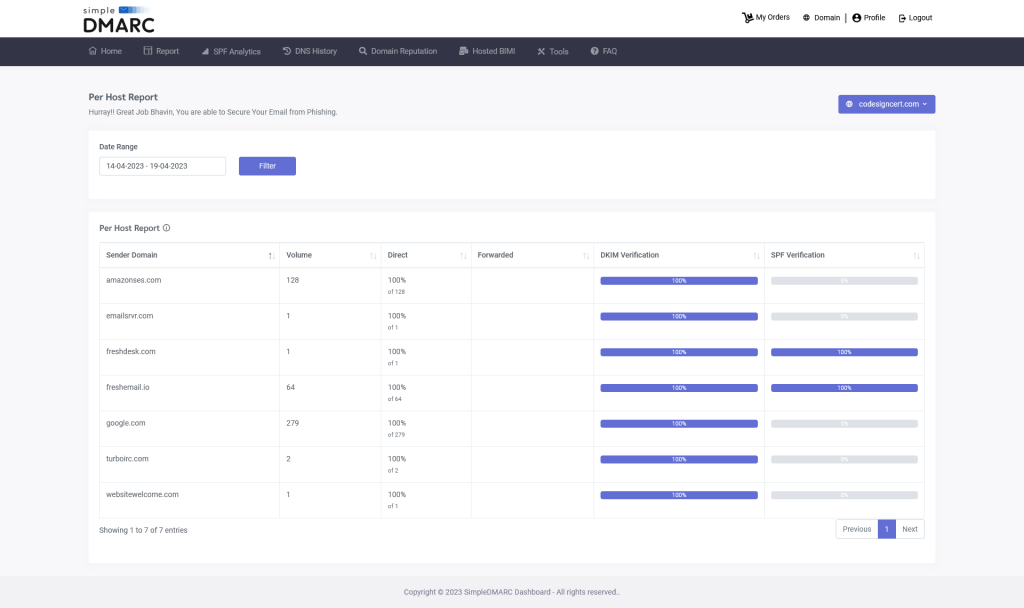
SimpleDMARC, a Proofpoint alternative, is an intuitive email authentication solution designed to help businesses protect their domains from email spoofing and phishing attacks. By simplifying the implementation of DMARC policies, SimpleDMARC ensures that your emails are secure and trustworthy, enhancing your organization’s email security posture.
Features
| Features | Benefits |
| Easy DMARC Record Setup Wizard | Simplifies the process of creating and publishing DMARC records for beginners |
| User-Friendly Dashboard | Provides a clear and concise overview of DMARC reports and email authentication health |
| Multi-Domain Management | Enables users to manage DMARC for multiple domains from a single platform |
Pros
- Focus on Core Functionalities: Concentrates on essential DMARC features, providing a streamlined approach for organizations with basic DMARC requirements
- Ease of Use: The user-friendly interface and straightforward setup process make implementing DMARC easy, even for users with limited technical expertise
Cons
- Limited Customization: SimpleDMARC offers fewer customization options for DMARC policy enforcement than more advanced solutions
- Basic Reporting: Depth and customization of reporting options are not very extensive
Pricing
SimpleDMARC’s pricing starts at $99/month.
Use Cases:
- Startups: Provides essential email security features with a user-friendly interface, allowing startups to quickly establish email authentication practices and maintain email integrity as they grow
- Educational Institutions: Benefit from SimpleDMARC’s streamlined approach to DMARC management
- Marketing & Sales Teams: Help marketing and sales emails reach intended inboxes by improving email deliverability through DMARC implementation
5. URIPorts
Overview
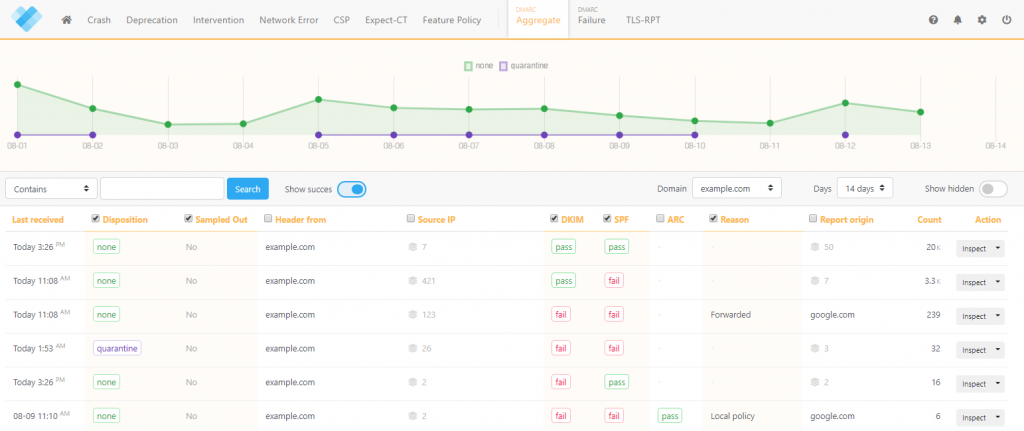
URIPorts is a comprehensive email security platform offering DMARC management and other email authentication and security features. It also provides robust reporting, advanced threat detection, and email filtering capabilities to help organizations protect their domains and inboxes.
Features
| Features | Benefits |
| DMARC Management & Reporting | Provides a centralized platform for DMARC implementation, monitoring, and enforcement, with detailed reporting on email authentication |
| Advanced Threat Detection | Utilizes machine learning to identify and block phishing attempts, malware, and other email-borne threats |
| Email Filtering & Anti-Spam | Filters out spam and unwanted emails, reducing inbox clutter and improving user productivity |
Pros
- Multi-Layered Security: Goes beyond DMARC to offer comprehensive email security features, protecting organizations from various threats
- Scalability: Adapts to the needs of businesses of all sizes
Cons
- Limited Customization: Offers DMARC management but does not cater to advanced users who require granular control over DMARC policy configuration
- Complexity for Simple Needs: Multiple features can overwhelm organizations that require only basic DMARC implementation
Pricing
Pricing for URIPorts starts at $5 per month (billed annually).
Use Cases
- Organizations with Complex Email Security Needs: Well-suited for businesses that require robust email security beyond just DMARC compliance.
- Businesses in High-Risk Industries: Multi-layered security approach can benefit companies in finance, healthcare, or other sectors that handle sensitive data
- Large Enterprises: Can scale to meet the security demands of large organizations with high email volume and complex security requirements.
6. dmarcian
Overview
dmarcian is a good DMARC alternative to Proofpoint. It is a cloud-based DMARC management platform explicitly designed for ease of use and expert guidance. It offers a user-friendly interface, comprehensive reporting, and access to knowledgeable support to help organizations implement, monitor, and enforce DMARC policies.
Features
| Features | Benefits |
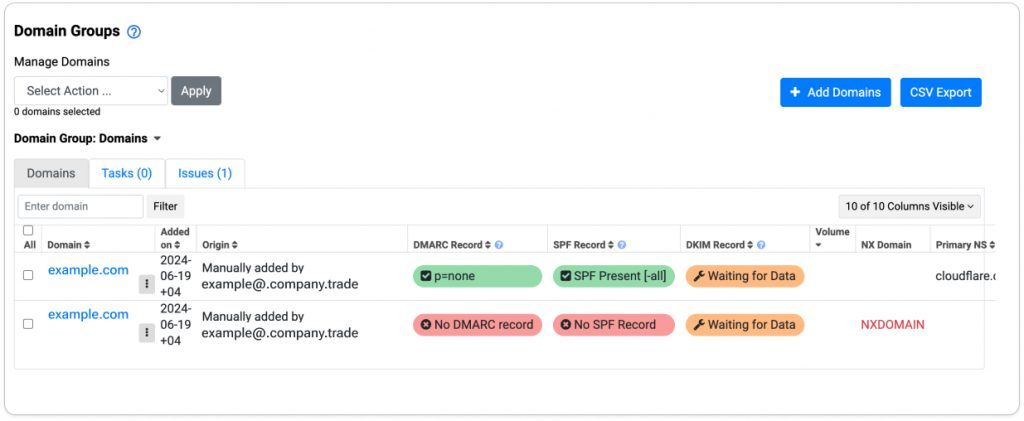
| Guided DMARC Deployment Wizard | Simplifies the setup process with step-by-step instructions and clear explanations |
| Interactive DMARC Reports & Analytics | Provides insightful visualizations and breakdowns of email authentication data, making it easy to understand DMARC performance |
| Dedicated DMARC Support Team | Offers access to DMARC specialists for assistance with configuration, troubleshooting, and best practice guidance |
Pros
- Ease of Use: Intuitive interface and guided setup process suit organizations with varying technical expertise
- Expert Support: Access to a dedicated DMARC support team ensures users receive ongoing guidance throughout the DMARC implementation journey
Cons
- Limited Additional Features: Primarily focuses on DMARC, so lacks functionalities offered by comprehensive email security suites, such as malware protection
- Less Customization: Gives less granular control over DMARC policy configuration
Pricing
dmarcian pricing starts at $19.99/month for the Basic Plan (billed annually).
Use Cases
- Organizations New to DMARC: Its user-friendly approach and guided setup make it ideal for businesses taking their first steps toward DMARC implementation
- Companies with Limited IT Resources: The availability of dedicated DMARC support allows organizations with limited internal expertise to manage their DMARC strategy
- Marketing & Sales Teams: Helps marketing and sales teams improve email deliverability by ensuring legitimate emails reach intended inboxes
7. Valimail
Overview
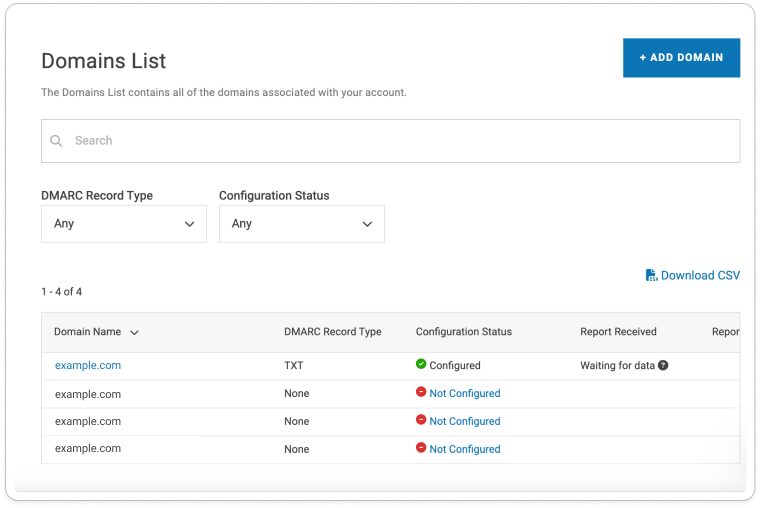
Valimail is a comprehensive email authentication and anti-spoofing platform that goes beyond DMARC. It offers advanced threat detection, email validation tools, and DMARC enforcement to protect organizations from phishing attacks, domain spoofing, and other email-borne threats.
Features:
| Features | Benefits |
| Advanced DMARC Monitoring & Reporting | Provides in-depth insights into email authentication failures and identifies potential spoofing attempts with greater precision |
| Threat Detection & Visualization | Utilizes machine learning to identify and block malicious emails, including phishing attempts and impersonations |
| Automated DMARC Enforcement | Simplifies the process of DMARC compliance by automating policy enforcement, reducing manual effort and errors |
Pros
- Multi-Layered Security: Offers a comprehensive suite of features beyond DMARC, providing advanced protection against various email threats
- Actionable Insights: Detailed reporting and threat visualization empower users to make informed decisions about email security and improve overall email hygiene
Cons
- Complexity for Simple DMARC: A robust feature set is overwhelming for organizations solely focused on basic DMARC implementation
- Higher Cost: Due to its comprehensive functionality, Valimail’s pricing is higher compared to DMARC-specific solutions.
Pricing
Pricing for Valimail starts at $39 per month for the Bronze plan.
Use Cases
- Organizations with Complex Email Security Needs: Well-suited for businesses that require robust protection against advanced email threats beyond DMARC compliance
- Businesses in High-Risk Industries: Companies in finance, healthcare, or other sectors that handle sensitive data can benefit from its multi-layered security approach.
- Marketing & Sales Teams: Helps marketing and sales teams ensure legitimate emails reach intended inboxes while safeguarding against phishing attempts that could damage brand reputation
8. DMARC Report
Overview
DMARCReport is a cloud-based platform that allows users to visualize and analyze DMARC reports. It offers basic reporting functionalities and helps organizations understand email authentication health at a glance.
Features
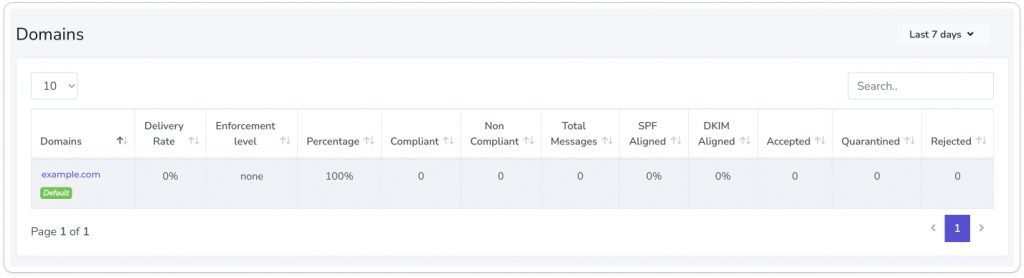
| Features | Benefits |
| Free DMARC Report Analysis | Enables users to view and analyze DMARC reports without any initial cost |
| Visualized Reporting | Provides charts and graphs to simplify DMARC data interpretation |
| Basic Insights into Authentication Failures | Offers insights into email authentication failures and spoofing attempts |
Pros
- Simple Interface: The user-friendly interface makes accessing and understanding basic DMARC report data easy
- Detailed Insight and Analysis: Provides comprehensive analysis and detailed insights into your email traffic, helping identify threats and improve email security posture
Cons
- Limited Advanced Features: Lacks advanced features and integrations available in more comprehensive email security solutions, limiting its scope to primarily DMARC reporting and analysis
- High Cost of Premium Features: While basic functionalities are free, access to more advanced reporting and detailed analytics requires a premium subscription
Pricing
DMARC Report pricing starts at $25 per month.
Use Cases
- Financial Institutions: Banks and credit unions can use DMARC Report to enhance email security and protect sensitive financial information from phishing attacks
- Healthcare Organizations: Hospitals and clinics can implement the tool to secure patient data and ensure compliance with health information regulations
- eCommerce and Retail Businesses: Online retailers can leverage DMARC Report to protect their brand reputation and secure transactional emails against spoofing
9. Sendmarc
Sendmarc is a specialized email authentication solution that simplifies DMARC implementation and management for businesses of all sizes. It offers comprehensive tools and support to help organizations secure their email communications and prevent the unauthorized use of their domains.
Features
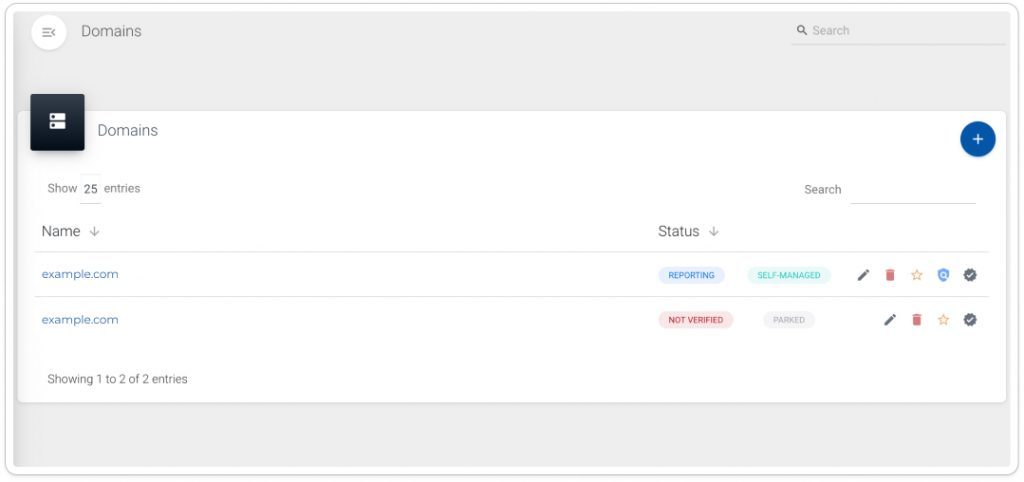
| Features | Benefits |
| DMARC Policy Management | Streamlines setting up and managing DMARC policies, reducing complexity and ensuring effective email protection |
| Real-Time Reporting and Analytics | Provides up-to-date insights and detailed analytics on email authentication status and threats, enabling prompt action |
| User-Friendly Dashboard | Features an intuitive interface that simplifies the monitoring and management of email authentication settings for users of all technical levels |
Pros
- Simplified DMARC Implementation: Makes it easier for businesses to deploy and manage DMARC policies, even without extensive technical expertise
- Real-Time Insights: Offers immediate reporting and analytics, helping organizations quickly identify and address email security issues
Cons
- Limited Advanced Features: Lacks some advanced features found in more comprehensive email security solutions, such as integrated anti-phishing or anti-malware tools
- Scalability Concerns: Smaller businesses should find the tool effective, but larger enterprises require more robust solutions with additional functionalities
Pricing
Sendmarc pricing starts at €45/month.
Use Cases
- Small to Medium Businesses (SMBs): SMBs can use it to quickly implement and manage DMARC policies, enhancing their email security without complex setup
- Financial Services: Banks and financial institutions can leverage the solution to protect sensitive communication and prevent fraud
- Healthcare Providers: Hospitals and clinics can use it to ensure the secure transmission of patient information and compliance with data protection regulations
10. PowerDMARC
Overview
PowerDMARC is an advanced email authentication platform designed to enhance your organization’s email security through comprehensive DMARC management. It offers a solid set of features including detailed reporting, robust security tools, and multi-user support, making it suitable for complex email environments. With a focus on delivering both depth and usability, PowerDMARC helps businesses effectively safeguard their email communications against spoofing threats.
Features
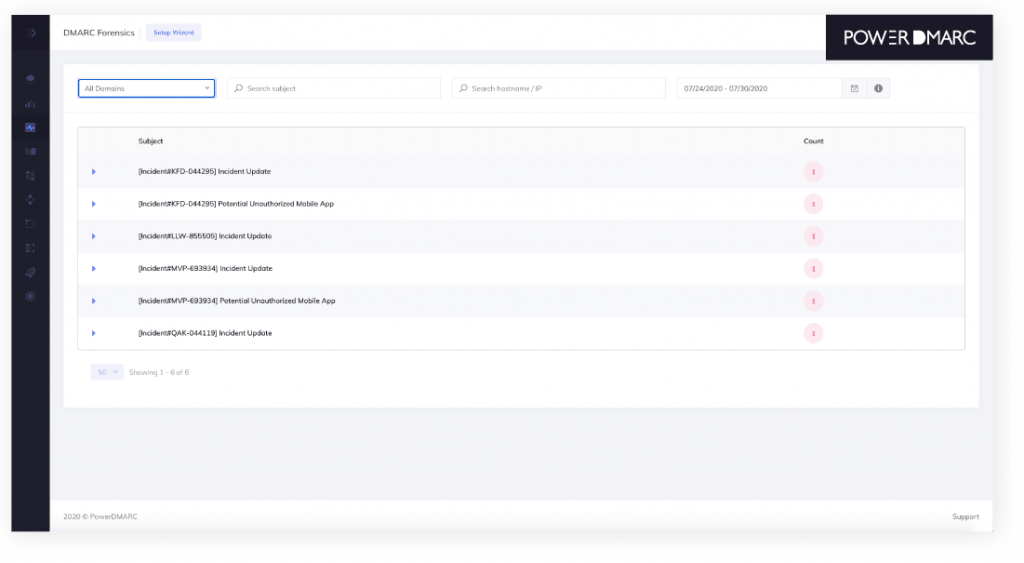
| Features | Benefits |
| Advanced Reporting & Alerts | Offers in-depth DMARC reporting with customizable dashboards and real-time alerts for suspicious activity |
| Threat Intelligence & Security Features | Provides additional security features like subdomain monitoring and impersonator identification to combat sophisticated email threats |
| Multi-User Management & Role-Based Access Control (RBAC) | Enables secure collaboration with team members by assigning different access levels and permissions for DMARC management |
Pricing:
PowerDMARC pricing starts at $8/month for startups.
Pros
- Advanced Reporting: Provides in-depth, customizable reporting and analytics that offer detailed insights into email authentication, helping users identify and address security threats effectively
- Multi-User Management: Supports complex organizational structures by allowing multiple users with varying access levels to manage and monitor email authentication settings, making it suitable for enterprises.
Cons
- Steeper Learning Curve: Users will find the platform more challenging to navigate and configure, especially if unfamiliar with DMARC
- Overkill for Basic Needs: Extensive set of features is too much for organizations with more straightforward email authentication requirements
Use cases
- Large Enterprises: Advanced reporting and multi-user management features allow large corporations to gain detailed insights into email authentication, manage multiple teams efficiently, and address complex email security needs
- Financial Services: Robust security features and detailed reporting capabilities ensure the protection of sensitive financial communications, help prevent phishing and spoofing attacks, and meet stringent regulatory requirements
- Healthcare Providers: Comprehensive security tools and multi-user management support the secure transmission of patient information and compliance with data protection regulations
Why Choose EasyDMARC as the Best DMARC Alternative?
- User-Friendly Interface: EasyDMARC offers a highly intuitive and easy-to-navigate dashboard, making it accessible for users with varying levels of technical expertise. This allows organizations to manage and monitor their DMARC settings without the steep learning curve of more complex platforms like Proofpoint.
- Cost-Effective Pricing: Provides a flexible pay-as-you-go pricing model and affordable subscription options, making it a more budget-friendly choice than Proofpoint’s higher cost.
- Streamlined DMARC Implementation: This platform focuses specifically on simplifying the DMARC implementation process, offering straightforward tools and step-by-step guidance to achieve and maintain DMARC compliance with minimal effort
- Comprehensive Reporting and Insights: While maintaining ease of use, EasyDMARC provides detailed aggregate and failure report analyses, including unique features like Aggregate GeoMaps that offer valuable insights into attack origins and email performance.
- Flexible Domain Management: The platform supports efficient management of multiple domains and provides tools for handling complex domain structures, particularly beneficial for organizations with extensive email environments.
- Dedicated Support and Resources: It offers robust support options, including customer service and educational resources, to assist users in optimizing their email authentication strategies and resolving any issues promptly. This contrasts with Proofpoint, where support can be more generalized within a broader suite of email security features.
Want to Start Your DMARC Journey?
Frequently Asked Questions (FAQs)
FAQ 1: What are the best alternatives to Proofpoint Email Fraud Defense?
When evaluating alternatives to Proofpoint Email Fraud Defense, consider solutions like EasyDMARC, Mimecast DMARC Analyzer, Barracuda Email Protection, and Valimail.
EasyDMARC offers a user-friendly interface and focuses on simplifying DMARC compliance, making it ideal for businesses that need straightforward email authentication features without extensive technical requirements
Mimecast DMARC Analyzer provides detailed reporting and policy management but can be more expensive, catering to businesses that need robust DMARC functionalities integrated with broader email security features
Barracuda Email Protection delivers a comprehensive suite of email security features, including advanced threat detection and data loss prevention, making it suitable for organizations requiring extensive protection beyond DMARC.
Valimail specializes in automated DMARC enforcement and provides in-depth reporting, making it a strong choice for companies looking for automated solutions to achieve and maintain email authentication compliance
FAQ 2: How does Proofpoint Email Fraud Defense compare to Mimecast DMARC Analyzer?
Mimecast DMARC Analyzer and Proofpoint differ in several key areas:
Scope: Mimecast DMARC Analyzer primarily focuses on DMARC policy management and reporting, offering detailed insights and a user-friendly interface for managing email authentication. On the other hand, Proofpoint is a comprehensive email security solution that includes advanced threat detection, phishing protection, email encryption, and DMARC compliance features.
Complexity and Cost: Mimecast DMARC Analyzer is generally more specialized and offers a more straightforward setup for DMARC-related tasks, but it can be costlier for comprehensive solutions. Proofpoint provides a broader range of security features that involve higher complexity and cost, reflecting its holistic approach to email security.
Integration: Proofpoint integrates DMARC with other security features, such as secure email gateways and advanced threat protection, while Mimecast DMARC Analyzer focuses more on email authentication.
H3: FAQ 3: What factors should I consider when choosing a Proofpoint Email Fraud Defense alternative?
When choosing a Proofpoint alternative, consider the following factors:
Feature Set: Evaluate whether the alternative provides the specific features you need, such as advanced threat protection, email encryption, or comprehensive DMARC reporting and policy management.
Ease of Use: Consider how user-friendly the platform is, especially if your team has varying technical expertise. Look for intuitive interfaces and support resources.
Cost and Pricing Structure: Compare the cost of the alternative with your budget. Some solutions offer flexible pricing models that can be more economical, especially for businesses with more straightforward needs.
Integration and Compatibility: Ensure the alternative integrates well with your existing systems and email infrastructure. Compatibility with other security tools and platforms can be crucial for a seamless workflow.
Support and Customer Service: Evaluate the level of support provided, including customer service, technical assistance, and available resources, to ensure you have the help you need when using the platform.
The post Top 10 Proofpoint Alternatives and Competitors in 2024 appeared first on EasyDMARC.
*** This is a Security Bloggers Network syndicated blog from EasyDMARC authored by Sarah Wilson. Read the original post at: https://easydmarc.com/blog/dmarc-alternatives-proofpoint/
如有侵权请联系:admin#unsafe.sh