Elcomsoft Phone Breaker 11.2 adds the ability to do 2026-6-18 12:3:31 Author: blog.elcomsoft.com(查看原文) 阅读量:26 收藏

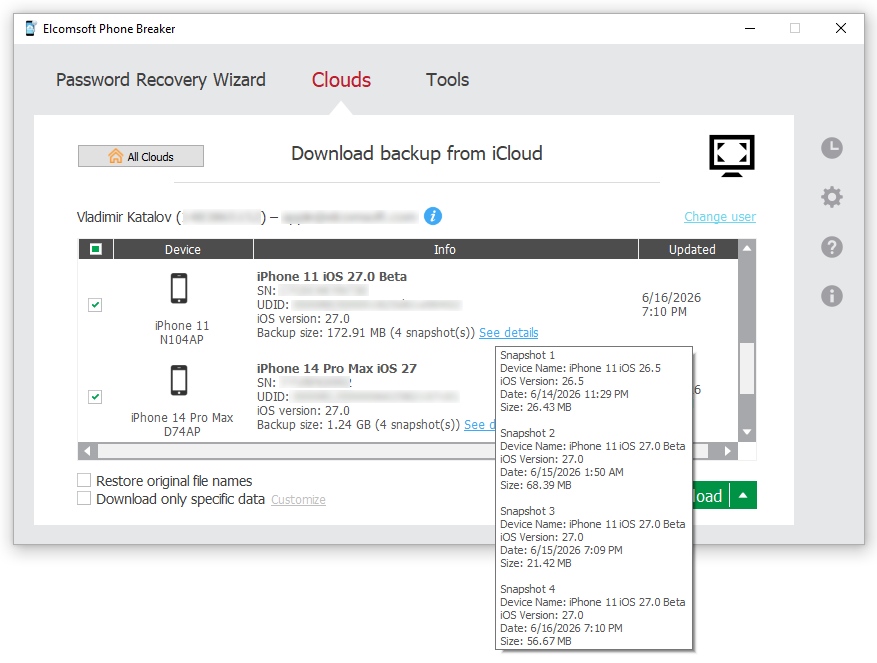
Elcomsoft Phone Breaker 11.2 adds the ability to download iCloud backups created on devices running iOS and iPadOS 26 and, by extension, iOS/iPadOS 27 beta. With this release, Elcomsoft Phone Breaker becomes the first and only third-party tool capable of pulling these backups from Apple’s cloud. That might read like a routine compatibility update. It isn’t. In iOS 26, Apple reworked its iCloud backup mechanism from the ground up, breaking every third-party tool that relied on the previous scheme. Restoring access meant rebuilding a large part of our cloud extraction pipeline. Below is what changed, what we did about it, and where the current build still has rough edges.
What happened?
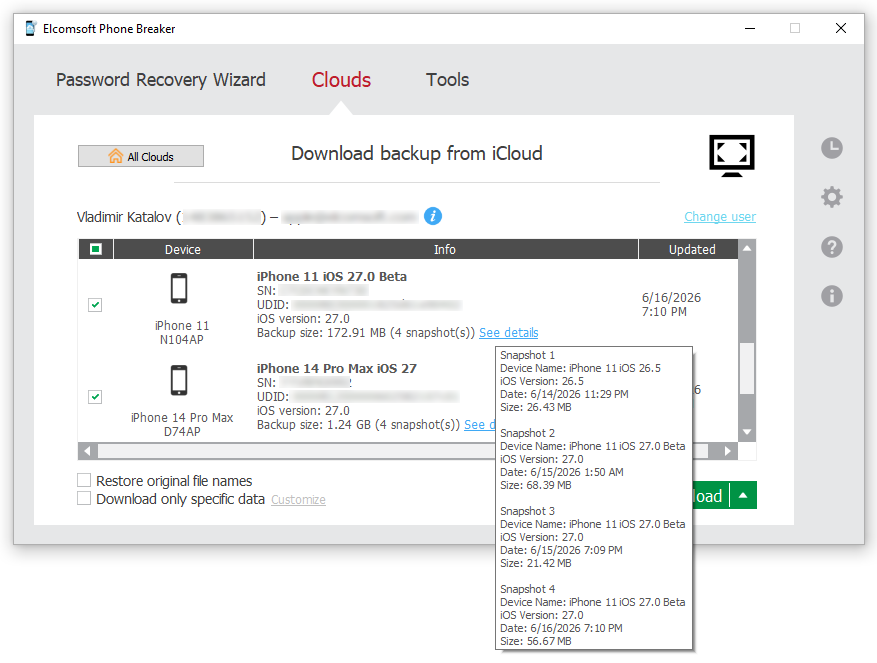
iCloud backups have never been simple files you can just pull down. A single backup is split into a large number of separate chunks; downloading it means enumerating those chunks, fetching each one, and reassembling them into a coherent image. That part isn’t new.
What’s new is almost everything around it. In iOS/iPadOS 26, Apple overhauled the requests used to enumerate and fetch backup data, the data structures that describe a backup’s contents, the encryption applied to the stored chunks, and even the compression. Roughly the only thing left untouched is the authentication protocol – every other layer between an authenticated session and a reconstructed backup was redesigned. For example, the chunks that make up a single backup may be spread across multiple back-end servers, with different hosts holding different parts of the same copy.
Taken together, these changes made every existing third-party forensic tool incompatible with iOS 26 backups. Adding support wasn’t a matter of patching a parser; it required reworking the entire engine.
What we fixed
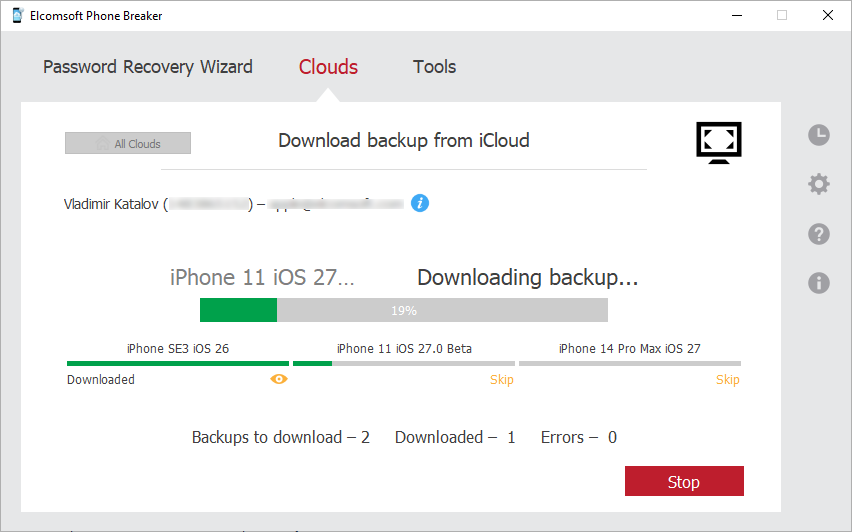
Elcomsoft Phone Breaker 11.2 implements the new request flow, decryption, decompression, and chunk-resolution logic needed to locate, download, and reconstruct iOS/iPadOS 26 backups. In our testing, complete backups download and reassemble correctly.
We’re calling this support preliminary, and the label is deliberate. The new scheme has a lot of moving parts, and backups vary widely – by device, by size, by how and when they were created, and by which categories of data they contain. We weren’t able to test every one of those combinations before release. Rather than hold the update back for a long beta cycle, we chose to ship a working solution now (iOS 26 cloud access has been in high demand) and refine it against real-world data.
Note: two-factor authentication works best with a trusted device, and you can get a code even when that device itself is offline. In iOS, go to Settings → tap your account name at the top → Sign-In & Security. When offline, a pop-up titled “Account Details Unavailable” appears, reading “If you are signing in to iCloud on another device or at iCloud.com, you can get a verification code while offline.” Tap Get Verification Code and a 6-digit code appears. The pop-up is expected, not an error; it’s simply how the option surfaces when there’s no connection. (Online, the code is pushed to the device automatically, so starting with iOS 26 the offline option no longer appears in Sign-In & Security; earlier versions of iOS still maintain that option even when the device is online.)
If no trusted device is available, it can be worth creating one. The 6-digit code sent to a trusted phone number is the last-resort option, and one we strongly advise against. If you have a SIM card with the trusted number in hand but no trusted device, we recommend setting up a trusted device first (this can be any spare Apple iPhone or iPad from your lab pool) and receiving the one-time code on that device instead. In our experience, SMS-based verification without a trusted device can trigger a temporary lock on the account under examination, or the SMS would simply fail to send.
There’s precedent for this. EPB 11.0 introduced support for the newer iCloud infrastructure and was similarly rough around the edges at launch; the issues that surfaced were sorted out in the follow-up release, EPB 11.1. We expect 11.2 to follow the same path.
If you run into trouble – backups that won’t enumerate, downloads that stall or fail to reassemble, anything that looks off – please report it. Edge cases are exactly what we are looking for, and your reports are the quickest way to finding and fixing them.
The bottom line
Cloud forensics is often the only way to reach critical evidence when a device is missing, locked, or otherwise unavailable, and iCloud backups remain one of the richest sources of data in Apple’s ecosystem. An overhaul like the one in iOS 26 can cut investigators off from evidence they’re entitled to reach. Restoring that access is the whole point. With version 11.2, Elcomsoft Phone Breaker becomes the first tool to reopen that door for iOS and iPadOS 26 – and with 27 already in beta, we intend to keep it open as Apple’s platforms keep moving.
REFERENCES:

Elcomsoft Phone Breaker
Gain full access to information stored in FileVault 2 containers and on iPhone, iPad, and Mac devices! Download device data from Apple servers. Use an Apple ID and password or extract binary authentication tokens from computers, hard drives, and forensic disk images to download cloud data without a password. Decrypt local backups with GPU-accelerated password recovery.
如有侵权请联系:admin#unsafe.sh