
If you're considering PuppeteerSharp for PDF generation, here's the version of the story that doesn' 2026-7-2 06:9:4 Author: hackernoon.com(查看原文) 阅读量:12 收藏
If you're considering PuppeteerSharp for PDF generation, here's the version of the story that doesn't show up in the "getting started" docs. It works, it's the canonical headless-browser API in .NET, and the day you ship it to production is also the day your container image gets noticeably heavier, your memory baseline shifts, and a recurring Chromium-CVE patching task quietly enters your sprint cadence.
We're the developer community at Iron Software. We make IronPDF, which competes in the .NET PDF space, so this is a peer-to-peer review with a transparent bias rather than a neutral one. The reason we wanted to write this is that PuppeteerSharp gets recommended a lot for HTML-to-PDF in C#, and most of that recommending happens at the API-shape level ("look how clean the code is"). The operational shape (what you're actually deploying when you take the dependency) is rarely part of the conversation, and that's the half of the picture we want to fill in. We'll start by being clear about what PuppeteerSharp does well, because it does a lot well. Then we'll get into the implicit costs
Here's the canonical first-snippet so we're all looking at the same thing:
using PuppeteerSharp;

await new BrowserFetcher().DownloadAsync();

await using var browser = await Puppeteer.LaunchAsync(new LaunchOptions { Headless = true });

await using var page = await browser.NewPageAsync();

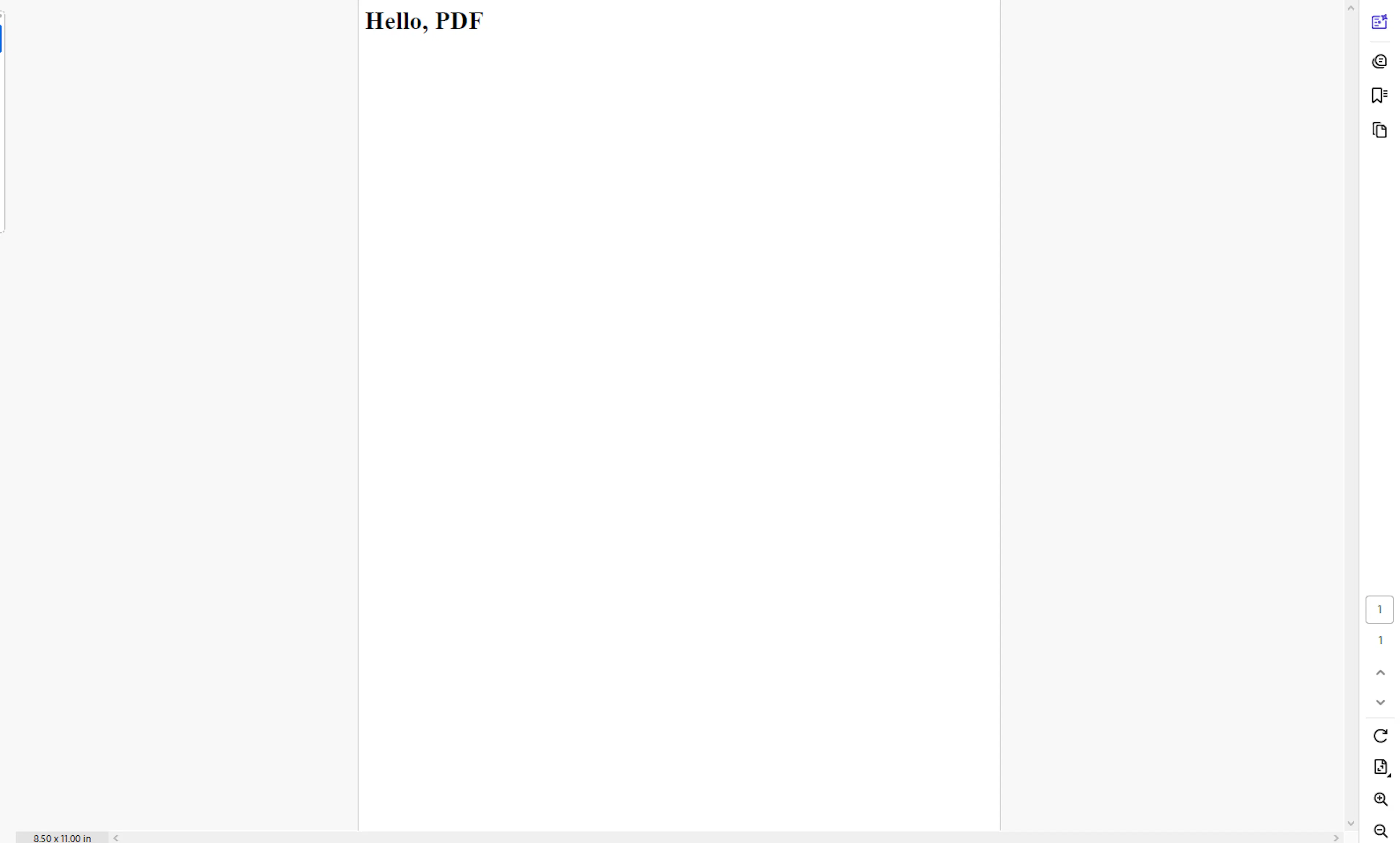
await page.SetContentAsync("<h1>Hello, PDF</h1>");

await page.PdfAsync("hello.pdf");
Output PDF Document
That is genuinely a clean API. There is a reason this library is popular.
What PuppeteerSharp Actually Does Well in Browser Automation
Before we get into the ops cost (which is most of this article), let's give the library its due. There are several reasons PuppeteerSharp is the default choice when a .NET team asks "how do we render HTML to PDF" for web scraping and automated testing:
It is a faithful .NET port of Puppeteer. The Node.js Puppeteer API is the de-facto industry standard for headless-browser automation. Hardkoded's PuppeteerSharp tracks that API closely as a high level API and a port of the official Node tool for .NET, meaning the documentation, blog posts, Stack Overflow answers, and patterns from the much larger Node.js ecosystem translate directly. For a .NET shop hiring developers with mixed backgrounds, that's a real benefit. The current release is PuppeteerSharp 24.42.0, maintained on a steady cadence, with the GitHub repo showing active issue triage.
HTML rendering fidelity is excellent. Because you're literally driving Chrome, you get whatever Chrome renders. Convert HTML strings and files, modern CSS, web fonts, flexbox, grid, JavaScript-driven content, charting libraries, custom fonts, it all works because there is no in-house renderer to keep up with the web platform. For PDFs of dashboards, reports built with React or Blazor, or anything with non-trivial layout, this is the path of least resistance. It can retrieve JavaScript-rendered HTML from dynamic content on web pages and interact with page elements during automation.
The async/await ergonomics fit .NET naturally. Most calls return Task. The library uses an asynchronous API built on async/await, and the IAsyncDisposable pattern wraps the browser and page lifetimes cleanly. If you've written any modern .NET code, the API will feel idiomatic.
It supports the things a PDF library is expected to support. Page format, margins, header/footer templates, landscape/portrait, print backgrounds, custom paper sizes, scaling. The PdfOptions surface mirrors Chrome's print API, which is more battle-tested than most dedicated PDF libraries, and it can produce pixel-perfect pdf documents while taking screenshots or generate screenshots of web pages.
The cross-platform story is real. Same code on Windows, Linux, macOS, ARM. Chrome handles the platform-specific rendering, and BrowserFetcher handles the platform-specific binary. For teams that deploy to Linux containers but develop on Windows, this is straightforward to configure. It can control headless Chrome over the devtools protocol, run in headless mode or headful mode for debugging, and simulate automated user interactions such as clicks and scrolling.
So: real strengths, real reasons to pick it. None of what follows changes that. The question is whether those strengths are worth what they cost in production, and that depends on knowing what they cost.
What You're Actually Shipping
Here is the framing teams report missing from the documentation: when you take a dependency on PuppeteerSharp, you are taking a dependency on Chromium. Not "PuppeteerSharp talks to a Chromium you happen to have installed." The library, by default, downloads and bundles its own Chromium build via BrowserFetcher, which manages browser executable downloads for the browser instance it launches and pins that binary to a specific revision the library version is tested against.
That binary is not small. Headless Chrome on Linux is reported at roughly 189 MB for the binary itself, with the full bundle landing closer to 260 MB. The lighter chrome-headless-shell variant (which Puppeteer added as an option in late 2024) trims that meaningfully, but is still substantially larger than a managed assembly. Even at the optimistic end, you've roughly tripled the disk footprint of a standard ASP.NET Core container compared to a managed-only PDF library.
Container image data lines up with this. Public examples of Puppeteer Docker images report sizes around 950 MB, with Chromium itself accounting for roughly 300 MB of that. Plus the system libraries Chromium needs to start up at all and be launched and controlled programmatically as a browser instance: fontconfig, ca-certificates, fonts-liberation, libasound2, libatk-bridge, libgbm, libnss3, libxss, and a long tail of X11 transitive deps. Miss one and you get a cryptic "Failed to launch the browser process" error with no obvious diagnostic, which is a debugging session a lot of teams have lost a half-day to.
For comparison, a managed-only .NET service container without a browser typically lands in the 150–250 MB range on a slim base image. Adding PuppeteerSharp roughly triples that. Whether that matters depends on how often you deploy and how thin your runners are; it always matters in cold-start-sensitive environments.
The Memory Baseline Nobody Mentions
The bytes on disk are the easy half of the conversation. The runtime memory profile is the half that surprises teams in production.
Headless Chrome assumes it is running on a desktop workstation with ample resources, not a constrained Docker container or a budget VPS. Chrome is multi-process by design: a browser process, a GPU process (even headless, depending on flags), and one renderer process per tab or isolate. Each one carries a base footprint, and they communicate over IPC that itself uses shared memory.
Two operational realities follow from that architecture:
Chromium leaks memory at scale. Not in a "this is a bug, file a ticket" way, but in a "this is the operating reality of a 30-million-line C++ browser, and you have to plan around it" way. Over hours and tens of thousands of renders, the resident set creeps. Teams running headless-Chromium fleets at scale report needing scheduled browser restarts as a service-level objective rather than a coincidence: one browser per worker, semaphore-capped concurrency, periodic restarts, fresh contexts per render. Skip any one of those four disciplines and you get OOM-kills in the wee hours.
The default /dev/shm size in Docker is 64 MB, which Chromium will exhaust the moment it tries to allocate a meaningful pixmap. The standard fix is --disable-dev-shm-usage (which falls back to /tmp), or bumping shm_size to 1g in your compose file. Both fixes work; both are operational knowledge that has to live somewhere (runbook, IaC template, base-image documentation), and that "somewhere" is part of the implicit cost of the choice.
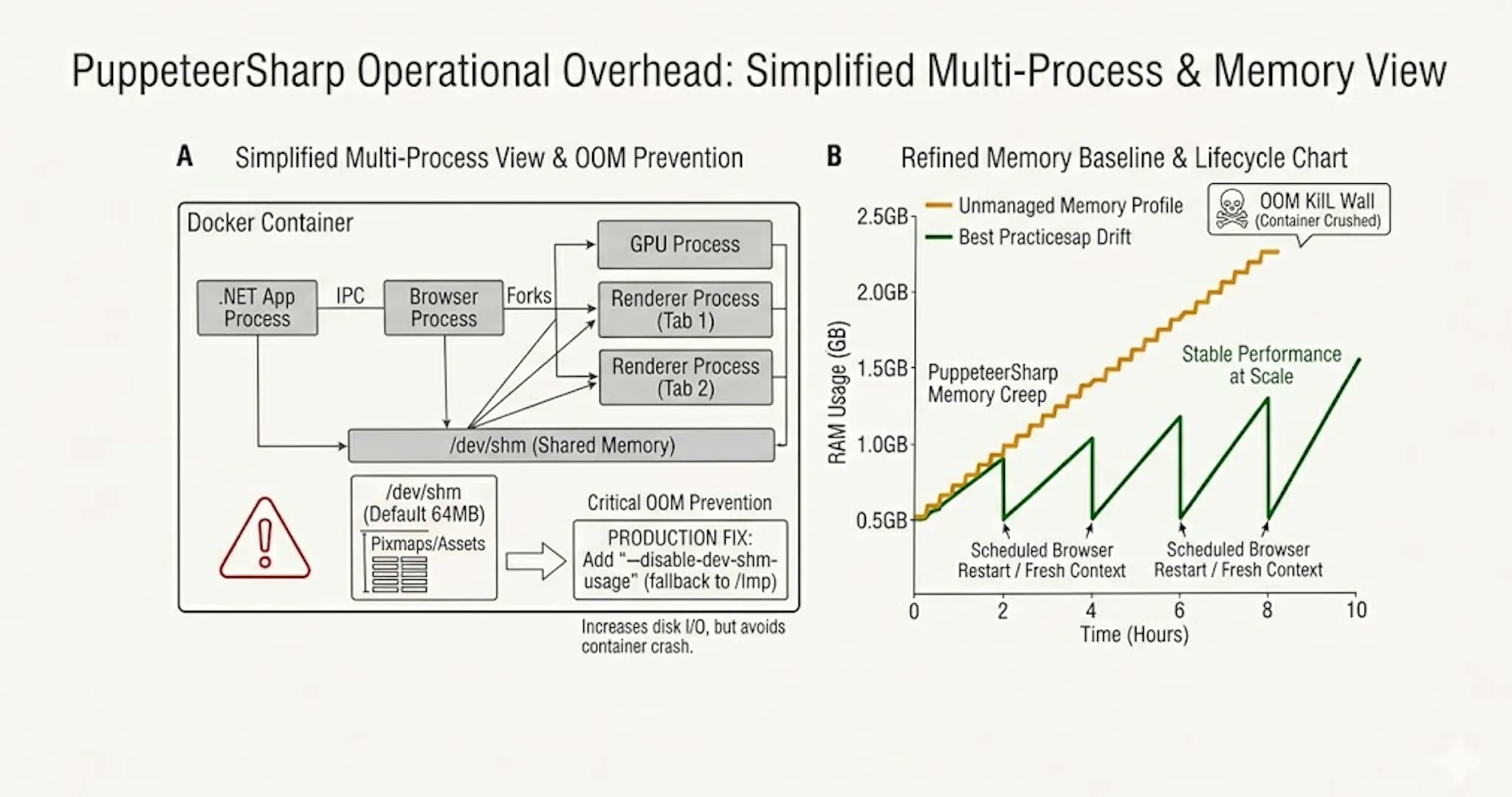
For typical .NET API services that previously sat at 200–400 MB resident, adding PuppeteerSharp under load shifts the steady-state baseline measurably upward and adds variance. As a working estimate of per-Chromium-instance overhead, a frequently-cited deployment write-up reports a 2 GB VPS comfortably hosting ten to twenty concurrent headless instances, which works out to roughly 100–200 MB per Chromium instance once you net out the OS and runtime baseline — derived inference, not a measured figure, and peak workloads are documented well higher. The exact number depends on workload, but the directional change is consistent across reports, and it changes how you size your nodes.
Cold Starts Get Brutal in Serverless Headless Chrome
If your deployment target is AWS Lambda, Azure Functions, or any function-as-a-service runtime, the math gets worse before it gets better. Headless-Chromium cold starts are slow enough to dominate request latency.
Public reports from teams running Puppeteer on Lambda consistently describe initial cold starts with browser launch in the multi-second range, with the F22 Labs deployment writeup walking through the layer-and-binary plumbing required to get there. AWS itself recommends a minimum 15-second timeout to allow for Lambda cold starts plus headless Chromium boot when using the CloudWatch Synthetics canary runtime. Optimized layers like chrome-aws-lambda cut that meaningfully, the project's published benchmark of a roughly 40–50% improvement was measured on Google Cloud Functions, but the underlying optimizations (smaller bundle, fewer files to extract on cold start) translate directionally to AWS Lambda. You are still paying a multi-second cost on every cold start, plus the engineering time to keep that layer current with Chromium versions.
Workarounds exist: Provisioned Concurrency keeps a pool of warm Lambda instances ready, which eliminates the cold start at the cost of paying for idle compute. Container-based deployments amortize the cost across long-lived processes. But the underlying constraint is structural (a headless browser is a heavy startup), and it shapes which deployment topologies are economically viable.
For batch jobs and long-running services, this is fine. For "render a PDF on demand from a Lambda triggered by an SQS message," you are paying for the cold start every quiet period.
The Patching Cadence You Inherit
Here is the part that becomes a recurring ops task rather than a one-time cost. When you ship Chromium with your application, you inherit Chromium's CVE cadence.
Chrome ships on a four-week release cycle, with bi-weekly Stable channel refreshes that typically include security fixes. Chrome 148 went stable on May 5th, 2026; 149 is on the schedule for early June. Major CVEs land between releases as point updates. From a security-team perspective, the bundled Chromium binary in your container is a piece of software with a published vulnerability database and a regular patch tempo.
That is fine for a browser vendor. It is operationally meaningful when the browser is bundled inside your service. Practically, it means:
- Every PuppeteerSharp release upgrade is also a Chromium upgrade, which means a render-fidelity regression test pass.
- Between PuppeteerSharp releases, your bundled Chromium ages. If your security policy requires patching CVEs above a severity threshold within N days, you'll occasionally need to ship a PuppeteerSharp bump purely for security currency, regardless of whether you needed any of the API changes.
- For regulated environments (anything subject to vulnerability-management standards or third-party security audits), the Chromium-in-your-container surface gets enumerated alongside your application code, and questions about its patching cadence get asked at audit time.
None of this is a defect of PuppeteerSharp. It is a downstream consequence of the architectural choice to ship a browser as a library dependency. The implicit cost is that "use PuppeteerSharp" expands from a one-time integration task into an ongoing maintenance commitment.
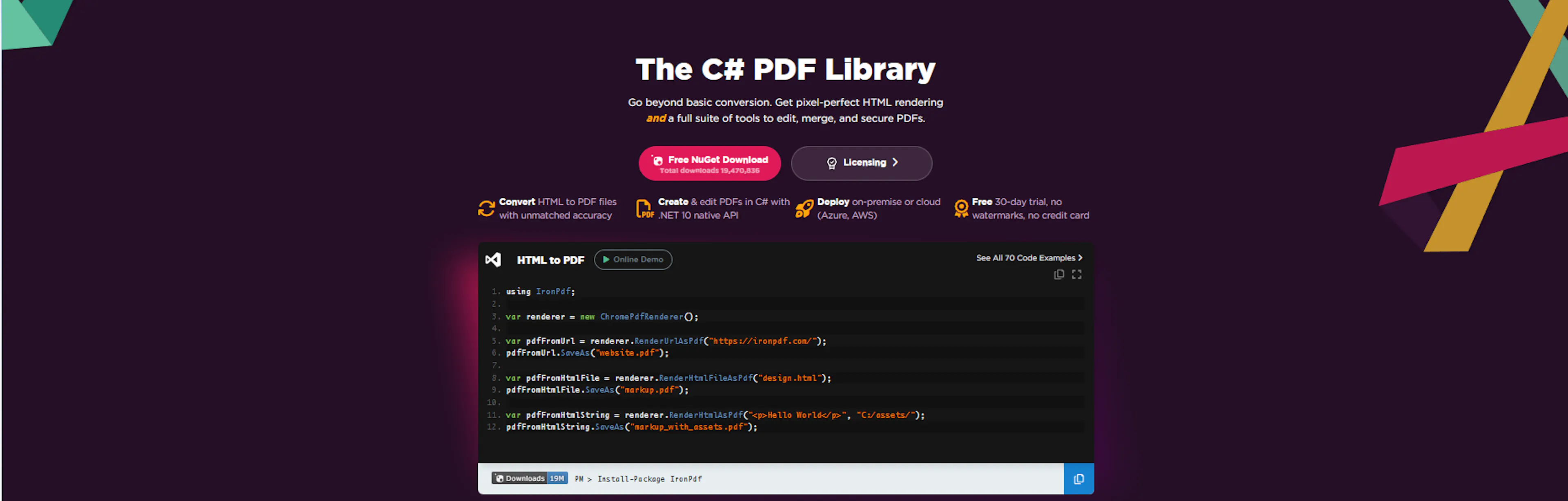
This is the part where we tell you about our own product, transparently. IronPDF is also Chromium-based under the hood; that's how it gets the same modern-CSS rendering fidelity. The difference is in how the dependency is packaged and distributed.
Per the IronPDF Linux documentation, the standard IronPDF for Linux package is around 280 MB including both the IronPDF code and the bundled Chrome rendering engine. A standard Docker image lands around 500 MB, and a slim deployment configuration can bring that down to roughly 200 MB. For deployments that don't need HTML rendering at all (read-only PDF operations), IronPdf.Slim is offered as a Chromium-less variant. The Chromium upgrades are managed by Iron Software's release cadence and shipped as part of IronPdf NuGet updates, so the patching surface lives with the vendor rather than your team's runbook.
The trade is straightforward — you pay a commercial license, you delegate the Chromium-currency problem; PuppeteerSharp is free, you keep the Chromium-currency problem. Both choices are legitimate. Which one is right depends on the value of your engineering team's time relative to the license cost, plus whether your security posture requires you to own that patching cadence in-house regardless.
We're not arguing one is universally better. We are arguing that the comparison should be made with both columns filled in, not just the API-ergonomics column.
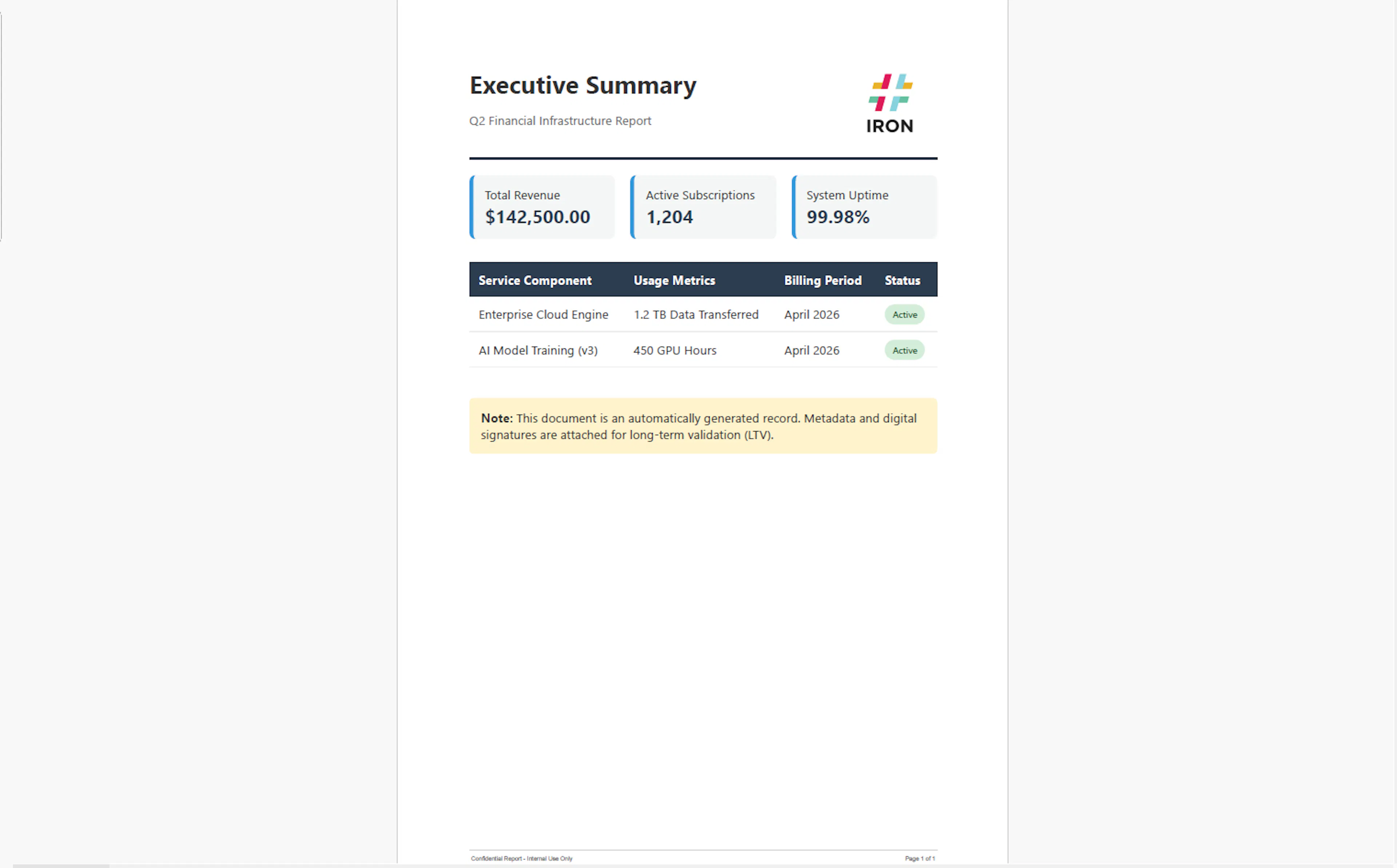
Convert HTML to PDF Example generated with IronPDF
When PuppeteerSharp Is Still the Right Choice
To be clear: there are workloads where PuppeteerSharp is the answer.
- You're rendering PDFs from genuinely complex web content where pixel-perfect fidelity to a rendered page matters and you'd rather drive Chrome directly than trust an abstraction, especially for Single Page Applications and JavaScript-heavy flows inside a web application.
- You're already operating Chromium in production for scraping or automation, and PDF generation is an incremental feature on infrastructure that's already paying the operational cost, including front-end testing with .NET testing frameworks in the broader .NET ecosystem.
- You have ops capacity to own the Chromium-in-container surface, run scheduled browser restarts, keep patches current, and intercept network requests for performance monitoring.
- You explicitly want a free, open-source, no-license-friction option and you've costed in the ongoing maintenance.
All four of those are reasonable positions. The cautionary note is for teams who hadn't realized that taking the library dependency was an architectural commitment to a browser runtime, not just a NuGet install.
The Practical Recommendation
If you're prototyping or building an internal tool, just use PuppeteerSharp. The API is clean, it works, and the operational concerns above don't matter at one-instance scale.
If you're deploying to a managed serverless platform with strict cold-start budgets, model the latency before you commit. Run a load test. Look at your p95 with and without warm pools. Decide whether the architecture actually supports it.
If you're shipping a production service at scale, treat the Chromium dependency as a real piece of infrastructure: own the patching cadence, plan the restart strategy, size for the memory baseline, write the runbook. Or pay someone else to own it. Either way, decide deliberately rather than by default.
What's your experience been? If you've shipped PuppeteerSharp at scale, the comments are open — the operational lore on this stuff lives in production, and we'd rather hear it from people who've run it than guess at it.
Documentation: the Puppeteer Sharp project site and the Puppeteer Sharp GitHub repository are both worth reading before you commit.
Try IronPDF for Your Next .NET Project
If you want to skip the overhead of managing a headless browser runtime, provisioning extra container memory, and continuously patching security vulnerabilities, IronPDF handles it for you. It packages everything into a streamlined, enterprise-ready NuGet library backed by 24/7 engineering support.
- Get Started Instantly: Build production-grade HTML-to-PDF pipelines in minutes.
- Production-Ready Footprint: Drop into your existing .NET ecosystem with automated dependency management optimized for Linux, Windows, Azure, and AWS Lambda.
- Risk-Free Trial: Test the full library feature set directly in your development environment.
🚀 Ready to offload your PDF operations cost? Start your IronPDF Free Trial today and see the operational difference in your deployment pipeline.
如有侵权请联系:admin#unsafe.sh