
Most AI-generated video comes out of the model with no real soundtrack: no room tone, no footsteps, 2026-7-14 11:16:18 Author: hackernoon.com(查看原文) 阅读量:6 收藏
Most AI-generated video comes out of the model with no real soundtrack: no room tone, no footsteps, no distant traffic, sometimes a generic music bed that has nothing to do with your scene. Sound design for AI video means building all of that by hand, in layers, after the clip already exists, not during generation. That is the one-sentence answer. The rest of this piece is the workflow I actually run to do it, shot by shot, on Lost Garden.
I found this out the expensive way. Early on I generated a corridor scene for Lost Garden, my AI-animated dark fantasy series, and it looked genuinely good. Torch light, drifting dust, a slow push down a stone hallway. I watched it on mute while I worked on something else, glanced up, and thought: that’s a shot. Then I put sound on it, just a placeholder ambience track I had lying around, and the illusion collapsed instantly. The torches didn’t crackle. The stone didn’t have the flat echo a corridor should have. It looked like a screensaver wearing a costume. The picture hadn’t changed at all. What killed the scene was everything absent from it.
Why does AI-generated video come out silent in the first place?
A video model is trained to predict pixels, not to reason about the physical space those pixels imply. It doesn’t know that stone hallways produce short, hard echoes, that torch flame has a specific crackle-and-hiss rhythm, or that footsteps sound different on wet flagstone than dry. Even on the clips where a model bundles in some audio, what comes back is usually generic: a soft ambient hum, a stock-sounding foley hit, occasionally music that fights the mood instead of building it. The model has no memory of your world. It renders a frame that looks like a location. It has no opinion on what that location should sound like.
The picture tells you where you are. The sound tells you whether to believe it.
That gap is not a bug you wait out. It is a permanent seam between what current video generators actually do (predict likely pixels) and what a finished shot needs (a coherent sensory world). Closing it is a manual job, and it is one of the last places direction still fully belongs to you.
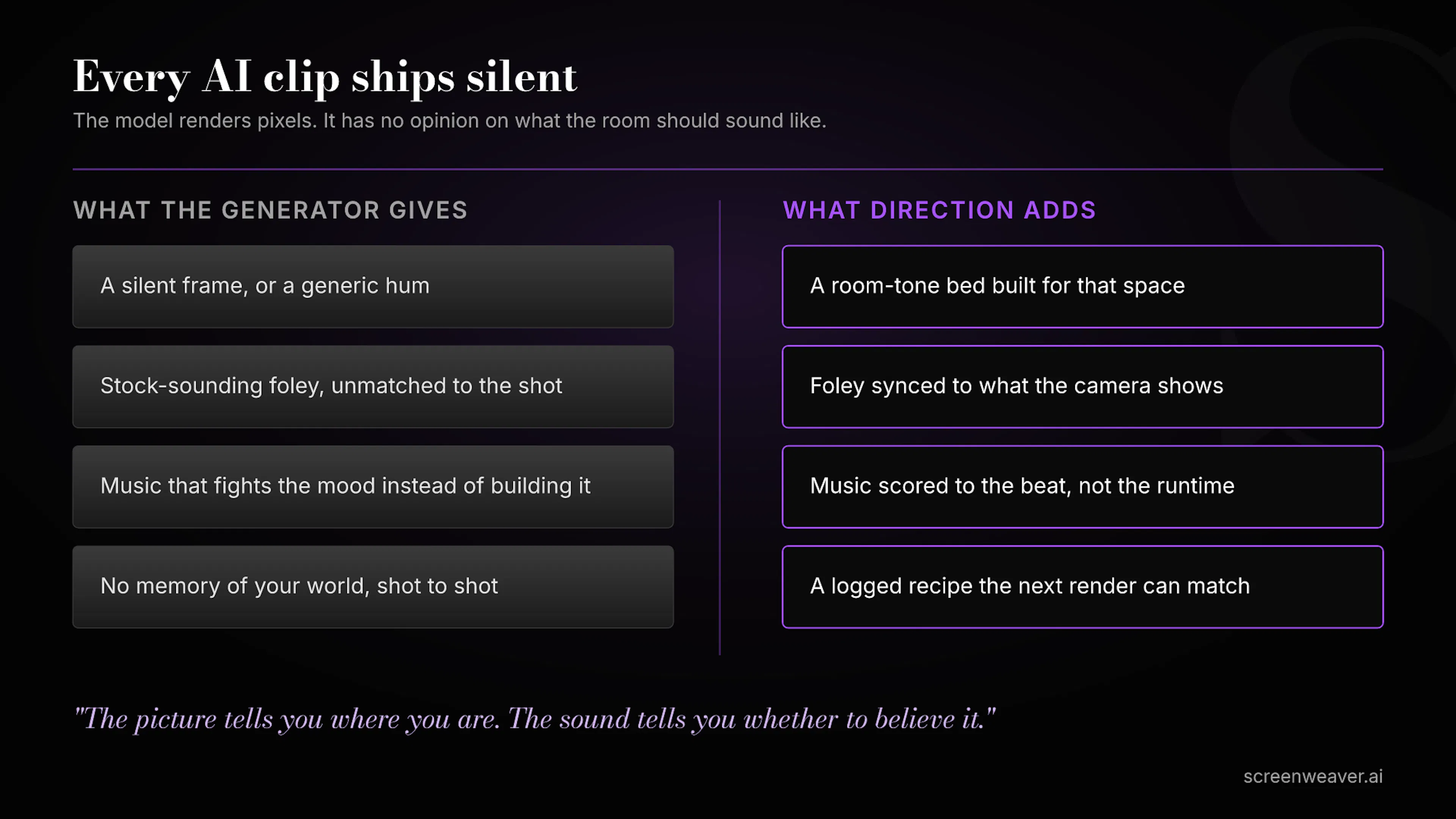 What the generator gives versus what direction adds, four sound layers at a time.
What are the sound layers, and what order do you build them in?
Traditional post-production splits a soundtrack into four layers, and that split still holds for AI-generated footage:
- Dialogue. Anything a character says. I treat this as its own workflow with its own timing rules, so it’s not the focus here.
- Room tone and ambience. The constant bed of a space: wind, distant crowd noise, a room’s specific hum. This is what makes silence sound like somewhere instead of nowhere.
- Foley and hard effects. Discrete, synced sounds tied to visible action: footsteps, a door, cloth movement, a torch crackle, an impact.
- Music. The layer that tells the audience how to feel about everything else.
I build them in that order, ambience first, because ambience is what a location is before anything happens in it. If you start with music, you’re scoring emotion onto a scene that doesn’t have a physical presence yet. If you start with foley, you get isolated sound effects floating in a vacuum with nothing under them. Ambience first gives every later layer somewhere to sit.
The practical sequence I run on every Lost Garden shot:
- Watch it muted first, and write down what’s missing. Not what sounds bad, what sounds absent. A torch with no crackle. A hallway with no echo. This list becomes the sound brief for the shot.
- Build the ambience bed. One continuous room-tone or environment track, generated to match the specific space, not a generic “forest” or “interior” preset. I use ElevenLabs’ sound effects tool for this because it takes a written description and returns several candidate takes in seconds, which matters when you’re doing this across dozens of shots.
- Layer foley on the visible action beats only. Every footstep the camera actually shows, not every footstep implied off-screen. Match the surface in the shot, stone versus wood versus wet ground genuinely changes the sound.
- Add music last, matched to the beat, not the whole scene. A single scene often needs the music to shift with it: tense under the approach, released after the turn. I score to the moment that matters, not the runtime.
- Mix for hierarchy, not volume. Dialogue on top, then foley, then ambience, then music underneath all of it. If two layers compete for the same frequency space at the same moment, one of them has to lose.
- Log the recipe. Tool, prompt text, and settings for every sound element, next to the shot it belongs to. A generic model update or a re-render six weeks later means you regenerate footsteps that no longer match, unless you wrote down what made the first ones work.
That last step is the one people skip, and it’s the one that saves you the most time later. It is the same discipline I already run for shot recipes and character bibles: nothing in a stateless pipeline survives unless you write it down somewhere it can be found again. In my own workflow that somewhere is ScreenWeaver, next to the shot and the character bible it’s tied to, so the sound decisions don’t live in a separate app disconnected from the scene they belong to.
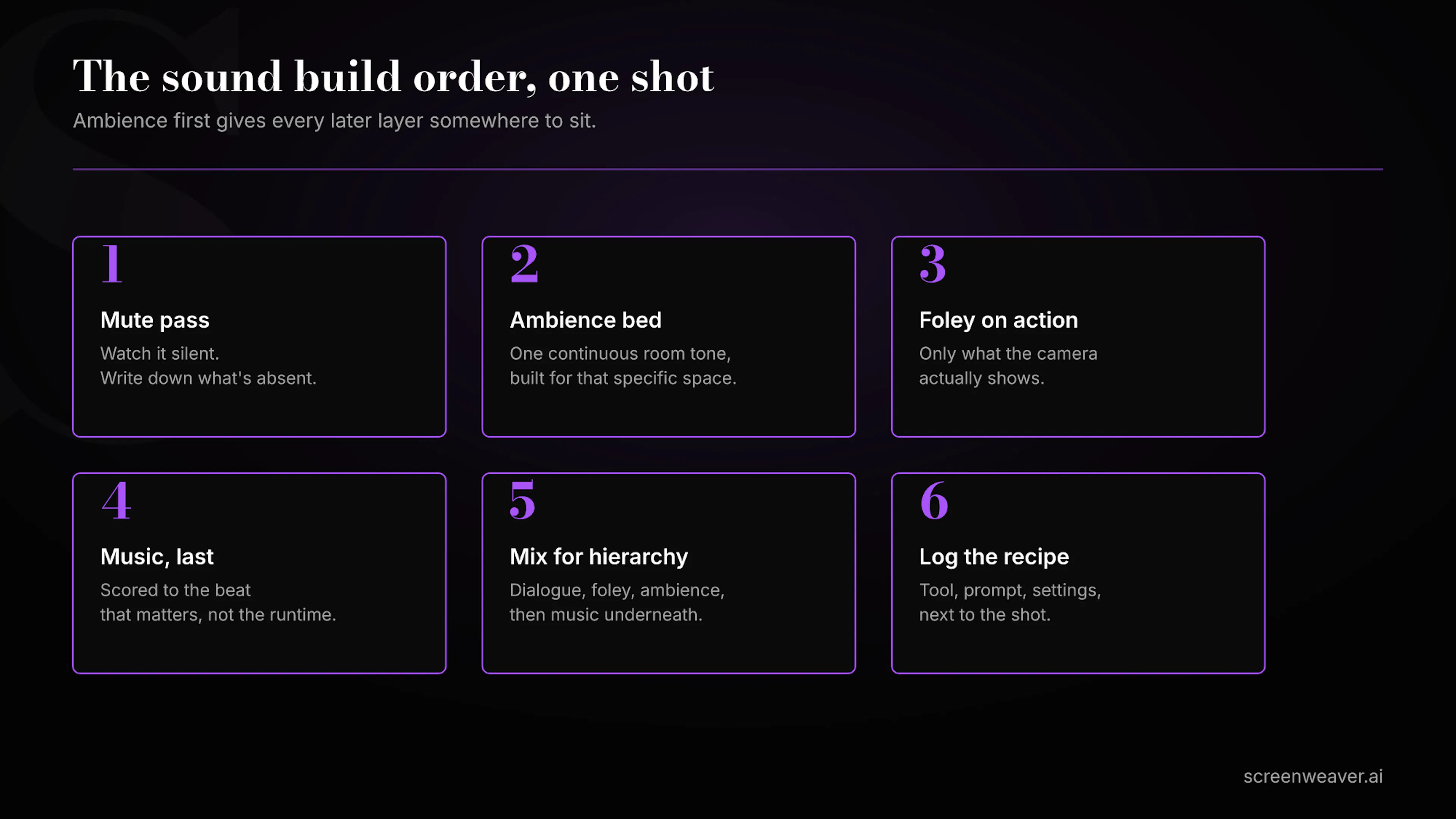 The six-step build order, ambience before foley before music.
For ambience and foley, I use ElevenLabs’ sound effects generator, which takes a plain description and returns royalty-free candidates in seconds across categories like ambience, foley, weather, and mechanical sound. Getting four takes back almost instantly matters more than it sounds: sound design is a selection process as much as a generation one, and you want options to audition against picture, not a single result you’re stuck with.
For music, Eleven Music works the same way in reverse: you describe genre, mood, instrument, and theme in a sentence and get a fully produced track back, rather than looping a stock library cue that almost fits. The advantage isn’t that it sounds better than a human composer. It’s that you can iterate on a specific eight-second cue until it matches the exact beat of the scene, which a licensed stock track almost never does.
Neither tool replaces judgment. Both of them are fast enough that judgment becomes the actual bottleneck again, which is the right problem to have.
Common mistakes I’ve made and now check for
- Treating ambience as decoration instead of foundation. A scene with no room tone under it sounds like it’s happening in a void, even if the image is gorgeous.
- Matching sound to what the camera implies instead of what it shows. If the audience can’t see the source, they will often forgive a mismatch. If they can see it, they will not.
- Scoring the whole scene with one music cue. Real scenes breathe. One flat cue from first frame to last flattens the emotion instead of shaping it.
- Skipping the mute-first pass. You cannot design what you haven’t consciously noticed is missing, and the fastest way to notice is silence.
A film is a partnership between what you show and what you let the audience hear. AI generation only ever hands you half of that partnership.
FAQ
Does any AI video model generate a complete, scene-accurate soundtrack automatically?
Not reliably. Some models attach generic ambient or musical audio to a clip, but it is rarely specific to your world, your framing, or your emotional beat. Treat any built-in audio as a rough placeholder, not a finished layer.
Do I need separate tools for sound effects and music?
Not necessarily the same tool, but they are different jobs with different rules: sound effects need to match visible, physical action, while music needs to track emotional pacing. I use ElevenLabs for both because the workflow (describe it, get candidates, pick one) is consistent across sound effects and music, but the two layers should still be built and judged separately.
What’s the single highest-leverage step in this process?
The mute-first pass. Watching a shot with no sound at all before building anything is the only way to actually notice what’s missing instead of what merely sounds imperfect.
I generated that Lost Garden corridor shot three separate times before the picture held together. It took one afternoon with a proper ambience bed, a handful of foley hits, and a music cue that only came in for the last four seconds, to make it feel held together. The image was never the problem. The silence around it was. That is still true of nearly every AI-generated shot I look at, mine included, and it is one of the few parts of the job that no model is going to do for you.
如有侵权请联系:admin#unsafe.sh